Export Simulink Model to Standalone FMU
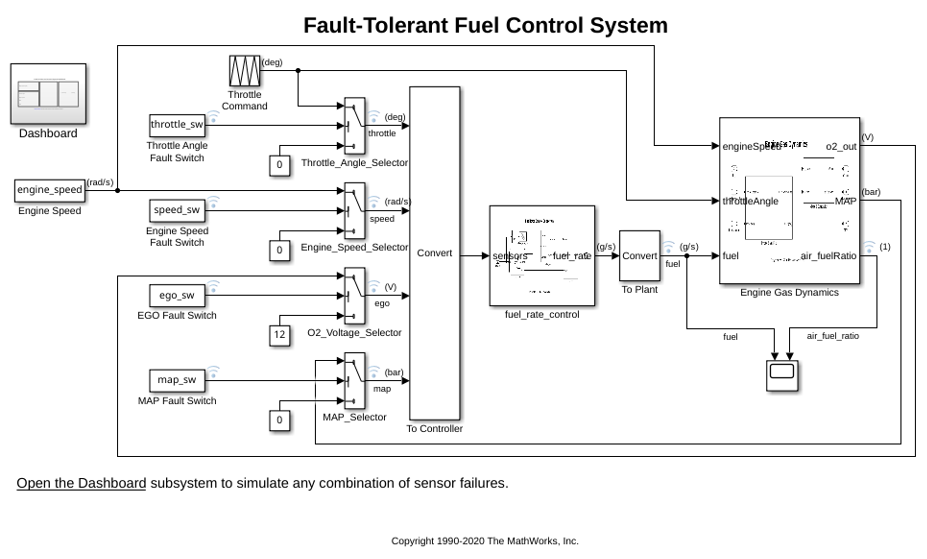
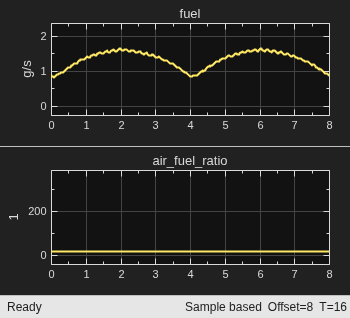
R2026bThis example shows how to export Simulink® component to standalone Co-Simulation FMU 3.0 with Simulink Compiler™. For a detailed explanation of the model, see:
In this example, the air-fuel ratio control system is composed of three Simulink models:
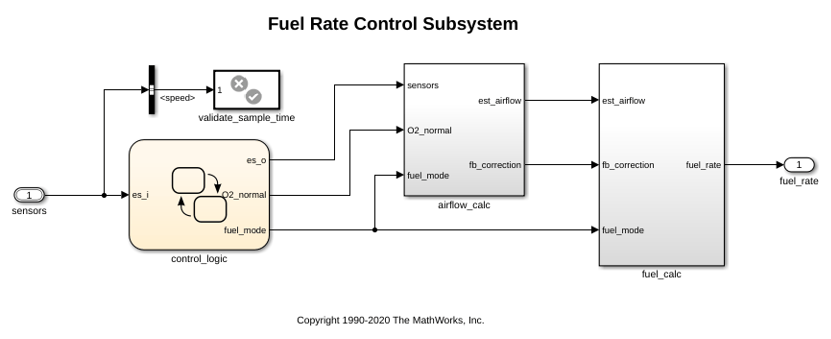
Fuel Rate Control Component:
fmudemo_export_fuelsys_controller,Engine Gas Dynamics Component:
fmudemo_export_fuelsys_plant, andtop-level model
fmudemo_export_fuelsys_top.
Once the controller and plant components are exported to FMU format, they can be integrated using the top-level model. The generated FMUs can also be imported into other simulation tools that support FMI. For a list of Tools that support FMI, see: https://fmi-standard.org/tools/.
Export Fuel Rate Control Component to FMU
Open the fmudemo_export_fuelsys_controller example model.
From Simulation tab, click drop-down button for Save. In Export Model To section, click Standalone FMU.... In FMU Export dialog box, configure wrapper model and icon settings, and specify save location for generated FMU.
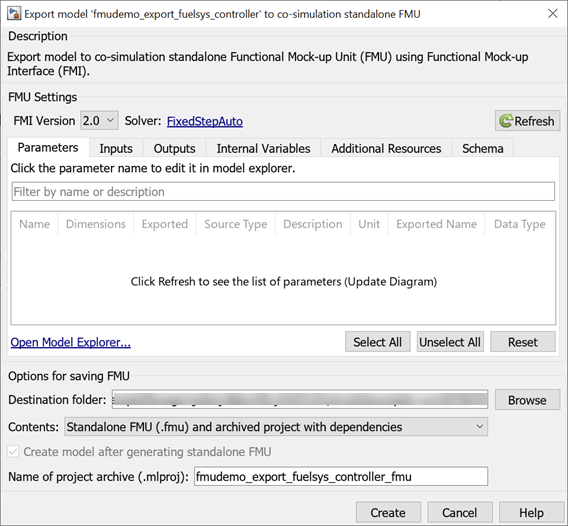
Click Create to export to FMU. The fmudemo_export_fuelsys_controller.fmu file can be found at specified save location.
Setting System Target to FMU 'Co-Simulation' for model 'fmudemo_export_fuelsys_controller'.
Setting Hardware Implementation > Device Type to 'MATLAB Host' for model 'fmudemo_export_fuelsys_controller'.
Warning: Root Port 'sensors' has a child element 'throttle' with datatype
's16En3', which cannot be configured for FMU export. To specify bus or
enumeration types, use prefix 'Bus: ' or 'Enum: '.
### Searching for referenced models in model 'fmudemo_export_fuelsys_controller'.
### Total of 1 models to build.
### Starting top model code generation target build for: fmudemo_export_fuelsys_controller
### 'GenerateComments' is disabled for 'Co-Simulation' FMU Export.

Build Summary

Top model targets:

Model                              Build Reason                                                 Status                        Build Duration
============================================================================================================================================
fmudemo_export_fuelsys_controller  Target (fmudemo_export_fuelsys_controller.c) did not exist.  Code generated and compiled.  0h 0m 10.222s

1 of 1 models built (0 models already up to date)
Build duration: 0h 0m 10.749s
### Model was successfully exported to 'Co-Simulation' FMU 'fmudemo_export_fuelsys_controller.fmu' in '/tmp/Bdoc26b_3351752_1229001/tpb614ced1/fmubuilder-ex60485454'.
Export Engine Gas Dynamics Component to FMU
Open the fmudemo_export_fuelsys_plant example model.
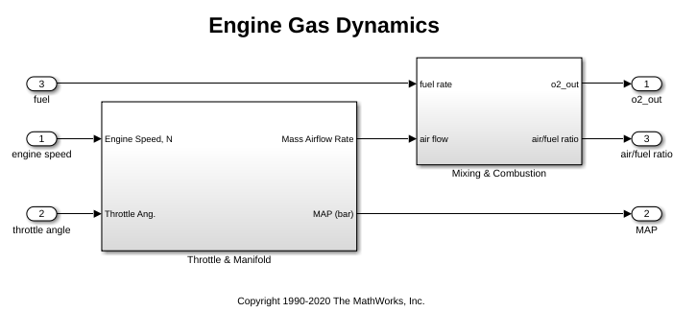
FMU can also be exported using command-line. In MATLAB® command line window, use exportToFMU command:
% Export model to Standalone Co-Simulation FMU 3.0
exportToFMU('fmudemo_export_fuelsys_plant', 'FMIVersion', '3.0', 'FMUType', 'CS', 'CreateModelAfterGeneratingFMU', 'off', 'AddIcon', 'snapshot', 'SaveDirectory', pwd);
Setting System Target to FMU 'Co-Simulation' for model 'fmudemo_export_fuelsys_plant'.
Setting Hardware Implementation > Device Type to 'MATLAB Host' for model 'fmudemo_export_fuelsys_plant'.
### Searching for referenced models in model 'fmudemo_export_fuelsys_plant'.
### Total of 1 models to build.
### Starting top model code generation target build for: fmudemo_export_fuelsys_plant
### 'GenerateComments' is disabled for 'Co-Simulation' FMU Export.
Warning: The following variables: 'engine speed,throttle angle,air/fuel ratio'
are not unique, too long, or contain invalid characters. They will be renamed
to: 'engineSpeed,throttleAngle,air_fuelRatio'.

Build Summary

Top model targets:

Model                         Build Reason                                            Status                        Build Duration
==================================================================================================================================
fmudemo_export_fuelsys_plant  Target (fmudemo_export_fuelsys_plant.c) did not exist.  Code generated and compiled.  0h 0m 7.7073s

1 of 1 models built (0 models already up to date)
Build duration: 0h 0m 7.8892s
### Model was successfully exported to 'Co-Simulation' FMU 'fmudemo_export_fuelsys_plant.fmu' in '/tmp/Bdoc26b_3351752_1229001/tpb614ced1/fmubuilder-ex60485454'.
You can use optional arguments CreateModelAfterGeneratingFMU, AddIcon, and SaveDirectory to configure FMU export settings. For more information, call help ExportToFMU.
Integrate FMU Components in Simulink
Once both FMUs are successfully exported, you may use the top model fmudemo_export_fuelsys_top to fully integrate the system for testing.