Jitter Measurement
R2026bJitter Measurement block
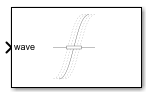
To add a block to a model, double-click the canvas and start typing the block name. Then, select the block from the list.
Libraries:
Mixed-Signal Blockset /
Utilities
SerDes Toolbox /
Utilities
Signal Integrity Toolbox /
Utilities
Description
Use the Jitter Measurement block to calculate waveform total jitter and other jitter metrics such as deterministic jitter, random jitter, duty cycle distortion, data-dependent jitter, sinusoidal jitter, and inter-symbol interference.
Ports
Input
Amplitude of the measured waveform, specified as a vector.
Data Types: double
Symbol thresholds for the amplitude of the measured waveform, specified as a vector.
Dependencies
To enable this port, select the Enable symbol threshold input port for Wave parameter.
Data Types: double
Amplitude of the reference waveform, specified as a vector. The block compares this amplitude with the amplitude of the measured waveform.
Dependencies
To enable this port, select the Enable Ref input port parameter.
Data Types: double
Symbol thresholds for the amplitude of the reference waveform, specified as a vector.
Dependencies
To enable this port, select the Enable Ref input port and Enable symbol threshold input port for Ref parameter.
Data Types: double
Use this port to reset the internal states and to restart the averaging of the jitter components.
Dependencies
To enable this port, select the Enable reset port parameter.
Data Types: double
Parameters
To edit block parameters interactively, use the Property Inspector. From the Simulink® Toolstrip, on the Simulation tab, in the Prepare gallery, select Property Inspector.
Configuration
Select this parameter to enable the input port waveThld. Use the waveThld port to specify the symbol thresholds for the amplitude of the measured waveform.
Programmatic Use
Block parameter:
SymbolThresholdPort |
| Type: character vector |
| Values: off | on |
| Default: off |
Edge detection thresholds for measured waveform, specified as a real scalar or real-valued row vector.
Dependencies
To enable this parameter, clear Enable symbol threshold input port for Wave parameter in the Configuration tab.
Programmatic Use
Block parameter:
SymbolThresholds |
| Type: character vector |
| Values: real scalar | real-valued row vector |
Default:
0 |
Symbol time for the measured and reference waveforms in seconds, specified as a positive real scalar.
Programmatic Use
Block parameter:
SymbolTime |
| Type: character vector |
| Values: positive real scalar |
Default:
1e-9 |
Select this parameter to enable the reference input port, Ref. The Ref port inputs the amplitude of a reference waveform which is compared with the measured waveform.
If you do not input a reference waveform, the block uses an internal reference that supports signals with less than 1 UI peak-to-peak total jitter.
Programmatic Use
Block parameter:
ReferencePort |
| Type: character vector |
| Values: off | on |
| Default: off |
Select this parameter to enable the input port refThld. Use the refThld port to specify the symbol thresholds for the amplitude of the reference waveform.
Dependencies
To enable this parameter, select Enable Ref input port option in the Configuration tab.
Programmatic Use
Block parameter:
ReferenceThresholdPort |
| Type: character vector |
| Values: off | on |
| Default: off |
Edge detection thresholds for reference waveform, specified as a real scalar or real-valued row vector.
Dependencies
To enable this parameter, select Enable Ref input port and clear the Enable symbol threshold input port for Ref parameters in the Configuration tab.
Programmatic Use
Block parameter:
ReferenceThresholds |
| Type: character vector |
| Values: real scalar | real-valued row vector |
Default:
0 |
Select this parameter to enable the reset port. A positive signal at the reset port resets the internal states and restarts the averaging of the jitter components.
Programmatic Use
Block parameter:
ResetPort |
| Type: character vector |
| Values: off | on |
| Default: off |
Maximum number of sinusoidal jitter frequencies to measure, specified as a positive real scalar.
Programmatic Use
Block parameter:
SJFrequencies |
| Type: character vector |
| Values: positive real scalar |
Default:
1 |
Length of the recovered impulse response from the measured waveform in UI, specified as a positive real scalar.
Note
If you provide an impulse response using the Impulse response to use for ISI parameter, the block uses the provided impulse response and ignores the value specified in the Length in UI of recovered impulse response parameter.
Programmatic Use
Block parameter:
ImpulseResponseLength |
| Type: character vector |
| Values: positive real scalar |
Default:
256 |
Correlation method for duty cycle distortion (DCD), specified as one of these:
oddeven— The block calculates one timing offset for the edge with odd indices and another timing offset for the edge with even indices. The peak-to-peak DCD is the difference between the two timing offset values.risefall— The block calculates one timing offset for the edge with rising indices and another timing offset for the edge with falling indices. The peak-to-peak DCD is the difference between the two timing offset values.
Programmatic Use
Block parameter:
DCDMethod |
| Type: character vector |
Values:
oddeven | risefall |
Default:
oddeven |
Bin edges for probability distribution functions (PDFs) during correlation, specified as a vector.
By default, the function distributes bin edges evenly with twice the resolution of Scott's rule.
Dependencies
To enable this parameter, expand the Advanced option in the Configuration tab.
Programmatic Use
Block parameter:
BinEdges |
| Type: character vector |
Values:
auto |
Default:
auto |
Number of FFT points used by the sinusoidal jitter (SJ) component, specified as a positive integer scalar. If you do not provide the number of FFT points, the block automatically calculates it from the length of the timing error vector.
For best accuracy, the measured SJ frequency should be an integer multiple of the minimum measurable SJ frequency.
Note
If the length of the timing error vector is larger than
214 and you set the number of FFT
points it to auto, the block caps it at
214 to reduce processing time. If
your design needs it, you can manually set the length of the timing vector to a value
larger than 214.
Dependencies
To enable this parameter, expand the Advanced option in the Configuration tab.
Programmatic Use
Block parameter:
NFFT |
| Type: character vector |
Values:
auto | positive integer scalar |
Default:
auto |
Impulse response to use for ISI, specified as a real-valued row vector. If you do not provide an impulse response, the block automatically recovers an impulse response from the measured waveform.
Dependencies
To enable this parameter, expand the Advanced option in the Configuration tab.
Programmatic Use
Block parameter:
ImpulseResponse |
| Type: character vector |
| Values: real-valued row vector |
Default:
[] |
Symbol levels corresponding to the impulse response used to calculate the ISI, specified as a real-valued row vector. The symbol levels scale the waveform made by convolving the impulse response with the measured symbol pattern to match the symbol thresholds.
Dependencies
To enable this parameter, expand the Advanced option in the Configuration tab.
Programmatic Use
Block parameter:
SymbolLevels |
| Type: character vector |
| Values: real-valued row vector |
Default:
[] |
Duration after a transition that the debouncer is active, specified as a real positive scalar in UI. The block ignores additional threshold crossings when the debouncer is active.
Dependencies
To enable this parameter, expand the Advanced option in the Configuration tab.
Programmatic Use
Block parameter:
AntiRingbackDuration |
| Type: character vector |
| Values: real-valued row vector |
Default:
[] |
Base workspace variable name, specified as a character string. This workspace variable calculates the value of all the metrics for the last collected frame and stores it in the base workspace.
Select this parameter to display the waveform plots after simulation is complete.
Click to display the waveform plots any time after simulation is complete.
Export the jitter metrics to a MAT file.
The block captures the simulation results frame by frame as the simulation progresses. The Symbol decimation parameter determines the length of the frame. The block then uses the results of the last completed frame to calculate the jitter metrics.
Export jitter metrics to a structure in the base workspace.
The block captures the simulation results frame by frame as the simulation progresses. The Symbol decimation parameter determines the length of the frame. The block then uses the results of the last completed frame to calculate the jitter metrics.
Number of UI per data frame, specified as a positive real scalar. The block updates the value once per frame.
The block captures the simulation results frame by frame as the simulation progresses. The Symbol decimation parameter determines the length of the frame. Setting Symbol decimation parameter at a large value increases the accuracy of jitter measurements at the expense of the speed.
Programmatic Use
Block parameter:
Decimation |
| Type: character vector |
| Values: positive real scalar |
Default:
1024 |
Sample time for the uniformly sampled jittery and reference signal, specified as a positive real scalar or positive real-valued row vector.
Programmatic Use
Block parameter:
SampleTime |
| Type: character vector |
| Values: positive real scalar | positive real-valued row vector |
Default:
1.25e-10 |
Select the simulation mode. This option affects simulation performance.
Simulating the model using the Code generation method
requires additional startup time, but the subsequent simulations run faster. Simulating
the model using the Interpreted execution method may reduce
the startup time, but the subsequent simulations run slower.
Programmatic Use
Block parameter:
SimulateUsing |
| Type: character vector |
Values:
Code generation | Interpreted
execution |
Default:
Code generation |
Output ports
Select this parameter to enable the TJrms port. The TJrms port outputs the RMS total jitter.
Programmatic Use
Block parameter:
TJrms |
| Type: character vector |
| Values: off | on |
| Default: off |
Select this parameter to enable the TJpkpk port. The TJpkpk port outputs the peak-to-peak total jitter.
Programmatic Use
Block parameter:
TJpkpk |
| Type: character vector |
| Values: off | on |
| Default: off |
Select this parameter to enable the RJrms port. The RJrms port outputs the RMS random jitter.
Programmatic Use
Block parameter:
RJrms |
| Type: character vector |
| Values: off | on |
| Default: off |
Select this parameter to enable the DJrms port. The DJrms port outputs the RMS deterministic jitter.
Programmatic Use
Block parameter:
DJrms |
| Type: character vector |
| Values: off | on |
| Default: off |
Select this parameter to enable the DJpkpk port. The DJpkpk port outputs the peak-to-peak deterministic jitter.
Programmatic Use
Block parameter:
DJpkpk |
| Type: character vector |
| Values: off | on |
| Default: off |
Select this parameter to enable the SJa, SJf, and SJp ports. These ports output the amplitudes, frequencies, and phase values of sinusoidal jitter, respectively.
Programmatic Use
Block parameter:
SJ |
| Type: character vector |
| Values: off | on |
| Default: off |
Select this parameter to enable the DDJrms port. The DDJrms port outputs the RMS data-dependent jitter.
Programmatic Use
Block parameter:
DDJrms |
| Type: character vector |
| Values: off | on |
| Default: off |
Select this parameter to enable the DDJpkpk port. The DDJpkpk port outputs the peak-to-peak data-dependent jitter.
Programmatic Use
Block parameter:
DDJpkpk |
| Type: character vector |
| Values: off | on |
| Default: off |
Select this parameter to enable the DCDrms port. The DCDrms port outputs the RMS jitter correlated with duty-cycle distortion.
Programmatic Use
Block parameter:
DCDrms |
| Type: character vector |
| Values: off | on |
| Default: off |
Select this parameter to enable the DCDpkpk port. The DCDpkpk port outputs the peak-to-peak jitter correlated with duty-cycle distortion.
Programmatic Use
Block parameter:
DCDpkpk |
| Type: character vector |
| Values: off | on |
| Default: off |
Select this parameter to enable the ISIrms port. The ISIrms port outputs the RMS jitter correlated with inter-symbol interference.
Programmatic Use
Block parameter:
ISIrms |
| Type: character vector |
| Values: off | on |
| Default: off |
Select this parameter to enable the ISIpkpk port. The ISIpkpk port outputs the peak-to-peak jitter correlated with inter-symbol interference.
Programmatic Use
Block parameter:
ISIpkpk |
| Type: character vector |
| Values: off | on |
| Default: off |
Click this parameter to select and enable all output ports in the Jitter Measurement block.
Click this parameter to clear and disable all output ports in the Jitter Measurement block.
Version History
Introduced in R2026a
See Also
jitter (Mixed-Signal Blockset) | jitterTotal (Mixed-Signal Blockset) | jitterRandom (Mixed-Signal Blockset) | jitterDeterministic (Mixed-Signal Blockset) | jitterDataDependent (Mixed-Signal Blockset) | jitterDutyCycle (Mixed-Signal Blockset) | jitterIntersymbol (Mixed-Signal Blockset) | jitterPeriodic (Mixed-Signal Blockset) | jitterSinusoidal (Mixed-Signal Blockset) | timingError (Mixed-Signal Blockset) | timeIntervalError (Mixed-Signal Blockset)
External Websites
MATLAB Command
You clicked a link that corresponds to this MATLAB command:
Run the command by entering it in the MATLAB Command Window. Web browsers do not support MATLAB commands.


Seleccione un país/idioma
Seleccione un país/idioma para obtener contenido traducido, si está disponible, y ver eventos y ofertas de productos y servicios locales. Según su ubicación geográfica, recomendamos que seleccione: .
También puede seleccionar uno de estos países/idiomas:
Cómo obtener el mejor rendimiento
Seleccione China (en idioma chino o inglés) para obtener el mejor rendimiento. Los sitios web de otros países no están optimizados para ser accedidos desde su ubicación geográfica.
América
- América Latina (Español)
- Canada (English)
- United States (English)
Europa
- Belgium (English)
- Denmark (English)
- Deutschland (Deutsch)
- España (Español)
- Finland (English)
- France (Français)
- Ireland (English)
- Italia (Italiano)
- Luxembourg (English)
- Netherlands (English)
- Norway (English)
- Österreich (Deutsch)
- Portugal (English)
- Sweden (English)
- Switzerland
- United Kingdom (English)