Block Parameterization Manager
R2026bApply part parameterization to block
Description
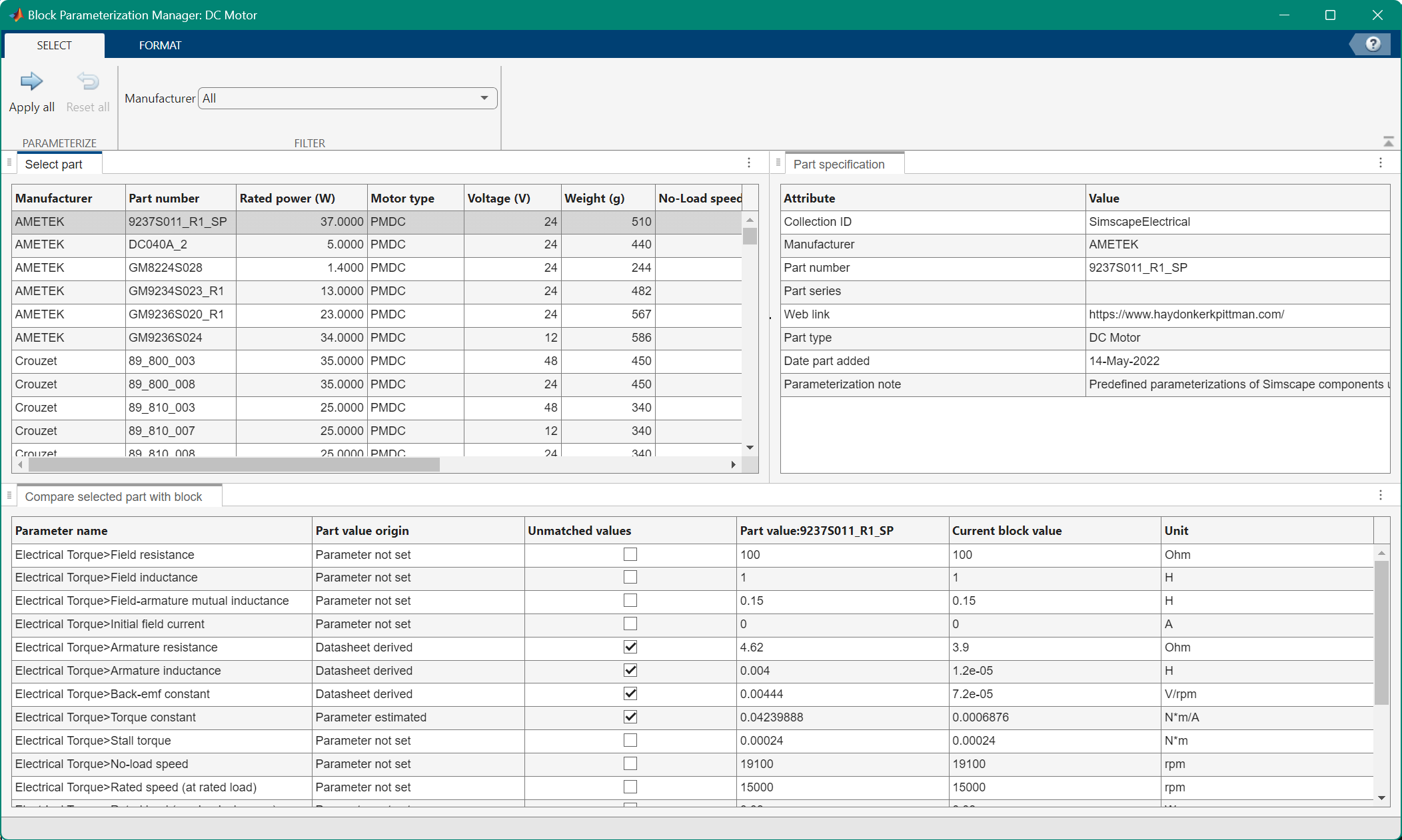
The Block Parameterization Manager tool contains a list of parts, which are components specific to a manufacturer, and their equivalent block parameter values. Use the tool to apply these parameter values to the blocks in your model.
In the Select tab, you can filter the available part data sets by manufacturer. To show only the active parameters, highlight editable fields, or highlight unmatched parameters, select the Format tab.
The Select part pane shows the parameterizations that you can apply to the block. When you select one of the options, the Part specification pane shows the metadata for that part.
The tool contains these panes:
Select part — Available parameterizations. The Manufacturer and Part number columns indicate the part manufacturer and part number, respectively. Some components have additional columns that are specific to that type of component.
Part specification — Part metadata.
Compare selected part with block — The parameterizations of the currently selected part compared to the current block parameter settings. This pane contains these columns:
Parameter name — Simscape block parameter.
Part value origin — Source of the parameter value for the selected part
Unmatched value — Block parameters that do not match the currently selected parameterization. Clear this check box to set the block parameter to the corresponding part parameter.
Part value — Selected part value for the given parameter.
Present block value — Current block value for the given parameter.
Unit — Unit for the parameter value.
To see a list of the blocks that support the Block Parameterization Manager parameterizations by default, see:
Simscape Fluids Part Collection (Simscape Fluids)
Simscape Electrical Part Collection (Simscape Electrical)
Simscape Driveline Part Collection (Simscape Driveline)
Simscape Battery Part Collection (Simscape Battery)
To enable these parameters for other blocks, install a part for that block.
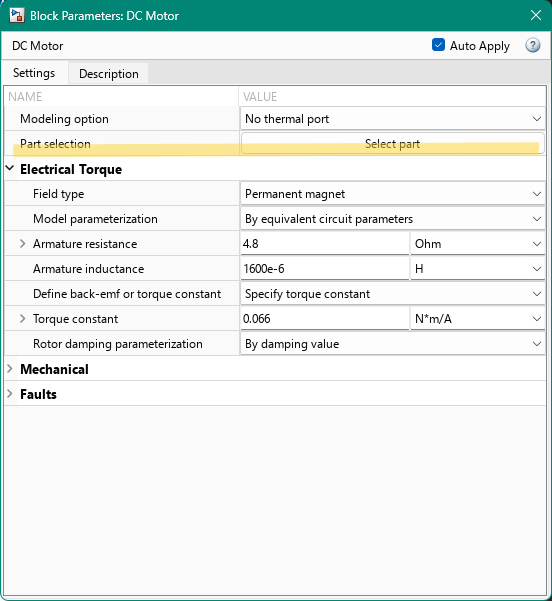
Open the Block Parameterization Manager App
In the block dialog box of a block that supports the Block Parameterization Manager, click the Select part button.
Examples
This example shows how to apply a part to a DC Motor block in the Simscape Electrical library.
The model in Linear Electric Actuator (Motor Model) (Simscape Electrical) contains a DC Motor (Simscape Electrical) block. This block has parts associated with the Simscape Electrical part collection. To open the example model, enter:
openExample("simscapeelectrical/LinearActuatorMotorExample")Open the block dialog box for the DC Motor block. Click the Select part button to open the Block Parameterization Manager tool.
In the Select part pane, select the row for the part where the Manufacturer value is
AMETEKand the Part number value isGM9236S024. Then, in the toolstrip, click Apply all. Close the Block Parameterization Manager window.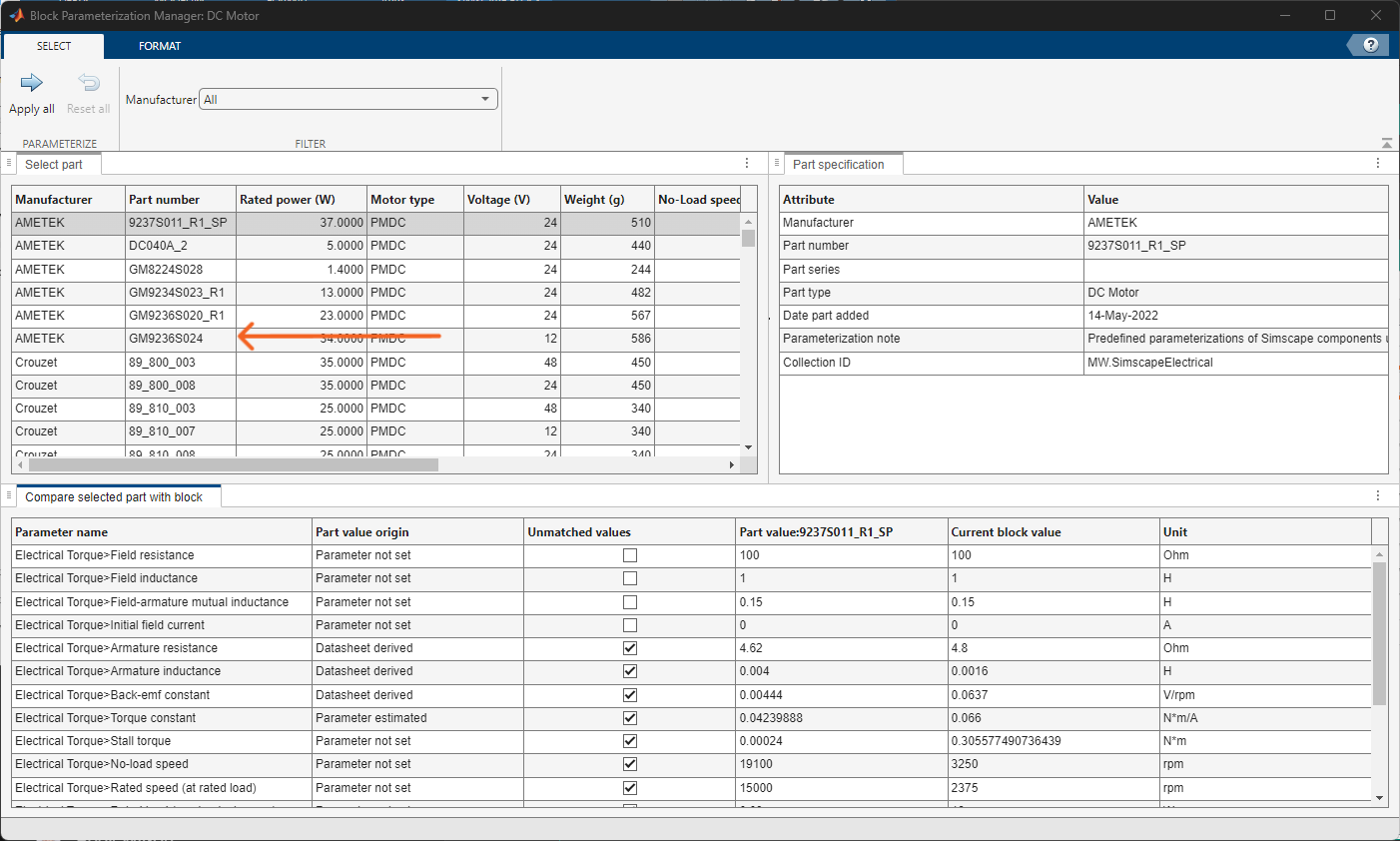
Open the block dialog box for the DC Motor block. The parameter values match the part and specify the part value origin. The Active part, Status, and Manage parameters are available.
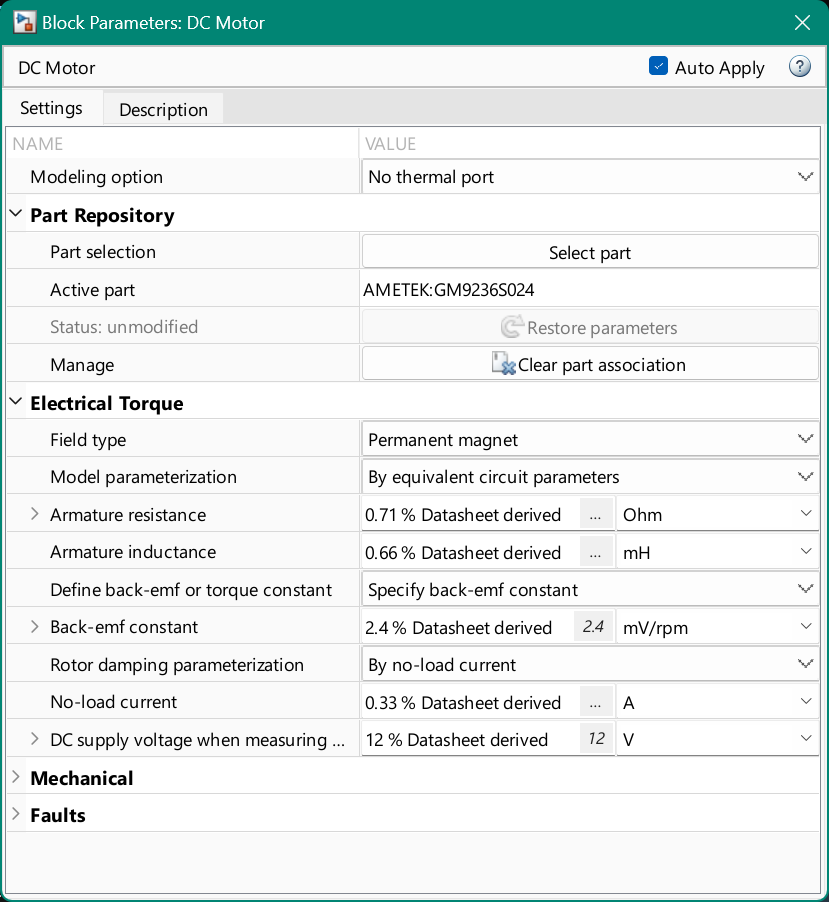
Set the Rotor damping parameterization parameter to
By damping value. The name of the Status parameter changes to Status: modified and the Restore parameters button is enabled.
Related Examples
Version History
Introduced in R2021a
See Also
Simscape Fluids Part Collection (Simscape Fluids) | Simscape Electrical Part Collection (Simscape Electrical) | Simscape Driveline Part Collection (Simscape Driveline) | Simscape Battery Part Collection (Simscape Battery)

