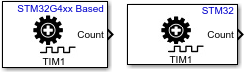
Encoder

Libraries:
STM32 Microcontroller Blockset /
STM32F1xx Based Boards
STM32 Microcontroller Blockset /
STM32F2xx Based Boards
STM32 Microcontroller Blockset /
STM32F3xx Based Boards
STM32 Microcontroller Blockset /
STM32F4xx Based Boards
STM32 Microcontroller Blockset /
STM32F7xx Based Boards
STM32 Microcontroller Blockset /
STM32G0xx Based Boards
STM32 Microcontroller Blockset /
STM32G4xx Based Boards
STM32 Microcontroller Blockset /
STM32H5xx Based Boards
STM32 Microcontroller Blockset /
STM32H7xx Based Boards
STM32 Microcontroller Blockset /
STM32L4xx Based Boards
STM32 Microcontroller Blockset /
STM32L5xx Based Boards
STM32 Microcontroller Blockset /
STM32U5xx Based Boards
STM32 Microcontroller Blockset /
STM32WBxx Based Boards
Description
Measure the rotation of the encoder in counts.
The Count port outputs the timer counter value as
uint32 data.
Examples
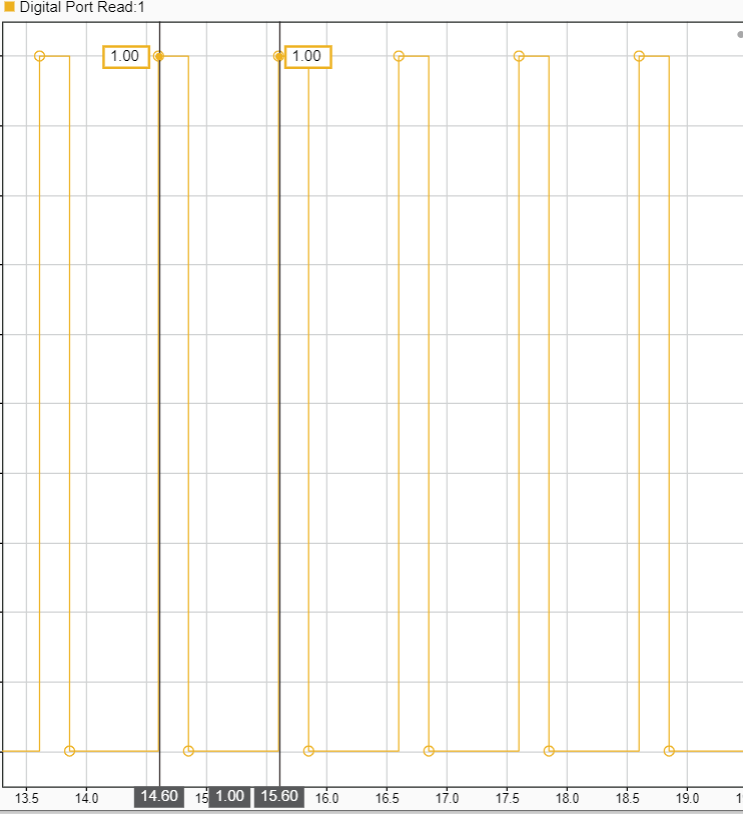
Signal Monitoring and Parameter Tuning of Generated PWM Output
Generate PWM signals on an STM32 processor-based board and tune parameters in real time using External mode.
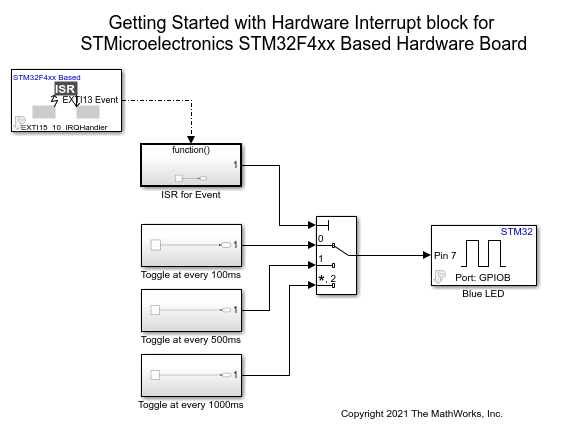
Using Hardware Interrupt Block to Create an ISR on STMicroelectronics STM32 Processor Based Boards
Use a Hardware Interrupt block to create an interrupt service routine (ISR) in the generated code for STM32™ Microcontroller Blockset.
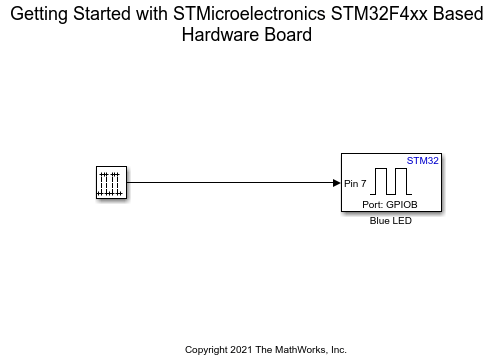
Get Started with STMicroelectronics STM32 Processor Based Boards
Run a Simulink model on STM32 processor.
Ports
Input
Use this port to reset the timer counter.
Providing input as 1, it sets the counter value to:
0- If the timer counter is counting upwardsAutoReload Register (ARR) value- if the timer counter is counting downwards.
Dependencies
To enable this port, select the Enable timer counter reset input parameter.
Data Types: Boolean | uint16 | uint32 | int8 | uint8 | int16 | int32 | uint64 | int64 | single | double
Output
The Count port outputs the current timer counter
value as uint32 data.
Data Types: uint32
The block outputs the current direction of the counter as one of the following:
0 - Up counter
1 - Down counter
Dependencies
To enable this port, select the Enable timer counter direction output parameter.
Data Types: Boolean
The port outputs if any index or transition error are detected.
0- No error is detected1- Transition error is detected2- Index error is detected3- Both Index and transition error are detected
Index error is detected when IERRF flag is set and
transition error is detected when TERRF flag is set
in the TIMx_SR status register. For more information,
see Encoder error management section in the STM32G4xx reference
manual.
Note
The Status port is available only for
STM32G4xx based boards.
Dependencies
To enable this port, select the Output status parameter.
Data Types: uint8
Outputs 0 till the first index pulse is received.
0- Until the first index pulse is received1- After the first index pulse is received
Note
The
Index Recvdport is available only for STM32G4xx based boards.Enable this port only if Encoder Mode + index is set as
Combined Channelsmode in STM32CubeMX project (Timer > TIM# > Mode > Combined Channels).
Dependencies
To enable this port, select the Output if first index pulse is received parameter.
Data Types: Boolean
Parameters
Select the timer module.
Note
Ensure that
Timer moduleis also configured in the STM32CubeMX project.Ensure the Combined channels mode in STM32CubeMX project (Timer > TIM# > Mode > Combined Channels) is:
Encoder Mode- for STM32H7xx, F7xx and F4xx boardsEncoder Mode or Encoder Mode + Index- for STM32G4xx board
Programmatic Use
Block Parameter:
TimerModule |
Enable the input to reset the counter.
Enabling this option adds an input port Reset, which can be used to reset the timer counter value.
Programmatic Use
Block Parameter:
EnableResetInput |
Enable this parameter to output the current direction of the counter.
Programmatic Use
Block Parameter:
OutputDirection |
Enable this parameter to show encoder counts only after first index pulse is received.
If this parameter is selected, the counts port outputs
0 till the first index pulse is received. After
receiving the first index pulse, counts port outputs the current timer
counter value.
Note
This parameter is available only for STM32G4xx based boards.
Enable this port only if Encoder Mode + index is set as
Combined Channelsmode in STM32CubeMX project (Timer > TIM# > Mode > Combined Channels).
Programmatic Use
Block
Parameter:OutputCountAfterFirstIndex |
When you select the Output if first index pulse is
received parameter, the block configures an output port,
Index Recvd. This port outputs 0
till the first index pulse is received.
Note
This parameter is available only for STM32G4xx based boards.
Enable this port only if Encoder Mode + index is set as
Combined Channelsmode in STM32CubeMX project (Timer > TIM# > Mode > Combined Channels).
Programmatic Use
Block
Parameter:OutputValidIndex |
Select this parameter to output status of read data. Status output
1 indicates overrun error.
When you select the Output Status parameter, the block configures an output port, Status. This port outputs if any Index or transition error is detected.
Programmatic Use
Block
Parameter:OutputStatus |
Specify how often (in seconds) the status of enabled output ports are read if no input ports are selected. Enter a value greater than zero. When you specify this parameter as -1, Simulink® determines the best sample time for the block based on the block context within the model.
Dependencies
To enable this port, clear the Enable timer counter reset input parameter.
Programmatic Use
Block Parameter:
SampleTime |
Extended Capabilities
C/C++ Code Generation
Generate C and C++ code using Simulink® Coder™.
Version History
Introduced in R2022b
MATLAB Command
You clicked a link that corresponds to this MATLAB command:
Run the command by entering it in the MATLAB Command Window. Web browsers do not support MATLAB commands.
Seleccione un país/idioma
Seleccione un país/idioma para obtener contenido traducido, si está disponible, y ver eventos y ofertas de productos y servicios locales. Según su ubicación geográfica, recomendamos que seleccione: .
También puede seleccionar uno de estos países/idiomas:
Cómo obtener el mejor rendimiento
Seleccione China (en idioma chino o inglés) para obtener el mejor rendimiento. Los sitios web de otros países no están optimizados para ser accedidos desde su ubicación geográfica.
América
- América Latina (Español)
- Canada (English)
- United States (English)
Europa
- Belgium (English)
- Denmark (English)
- Deutschland (Deutsch)
- España (Español)
- Finland (English)
- France (Français)
- Ireland (English)
- Italia (Italiano)
- Luxembourg (English)
- Netherlands (English)
- Norway (English)
- Österreich (Deutsch)
- Portugal (English)
- Sweden (English)
- Switzerland
- United Kingdom (English)