PWM Output
R2026bGenerate square waveform on enabled channels using timer module
PWM Output Block block

To add a block to a model, double-click the canvas and start typing the block name. Then, select the block from the list.
Libraries:
STM32 Microcontroller Blockset /
STM32F1xx Based Boards
STM32 Microcontroller Blockset /
STM32F2xx Based Boards
STM32 Microcontroller Blockset /
STM32F3xx Based Boards
STM32 Microcontroller Blockset /
STM32F4xx Based Boards
STM32 Microcontroller Blockset /
STM32F7xx Based Boards
STM32 Microcontroller Blockset /
STM32G0xx Based Boards
STM32 Microcontroller Blockset /
STM32G4xx Based Boards
STM32 Microcontroller Blockset /
STM32H5xx Based Boards
STM32 Microcontroller Blockset /
STM32H7xx Based Boards
STM32 Microcontroller Blockset /
STM32H7RSxx Based Boards
STM32 Microcontroller Blockset /
STM32L4xx Based Boards
STM32 Microcontroller Blockset /
STM32L5xx Based Boards
STM32 Microcontroller Blockset /
STM32U5xx Based Boards
STM32 Microcontroller Blockset /
(Legacy) STM32 MBED Based Boards /
STM32F746G-Discovery
STM32 Microcontroller Blockset /
(Legacy) STM32 MBED Based Boards /
STM32L475VG-Discovery (B-L475E-IOT01A)
STM32 Microcontroller Blockset /
(Legacy) STM32 MBED Based Boards /
STM32F769I-Discovery
STM32 Microcontroller Blockset /
(Legacy) STM32 MBED Based Boards /
Common
STM32 Microcontroller Blockset /
STM32WBxx Based Boards
Description
Use the PWM Output block to generate a square waveform on the enabled channels using the timer module.
The block input controls the duty cycle of the square waveform for each channel.
If you set Duty Cycle unit parameter to
Percentage, an input value of 0 produces a 0 percent duty
cycle and an input of 100 produces an output with 100 percent duty cycle on the
corresponding channel. If you set the Duty Cycle unit parameter to
Counts, the block writes input value to the capture
compare register of the corresponding channel.
If you select the Enable frequency input, the block writes the corresponding input to the autoreload register of the timer to set the counter period.
Note
You can run a Simulink® model containing PWM Output block in Connected IO mode on STM32 Processor Based Boards. For more information, see Communicate with Hardware Using Connected IO.
Examples
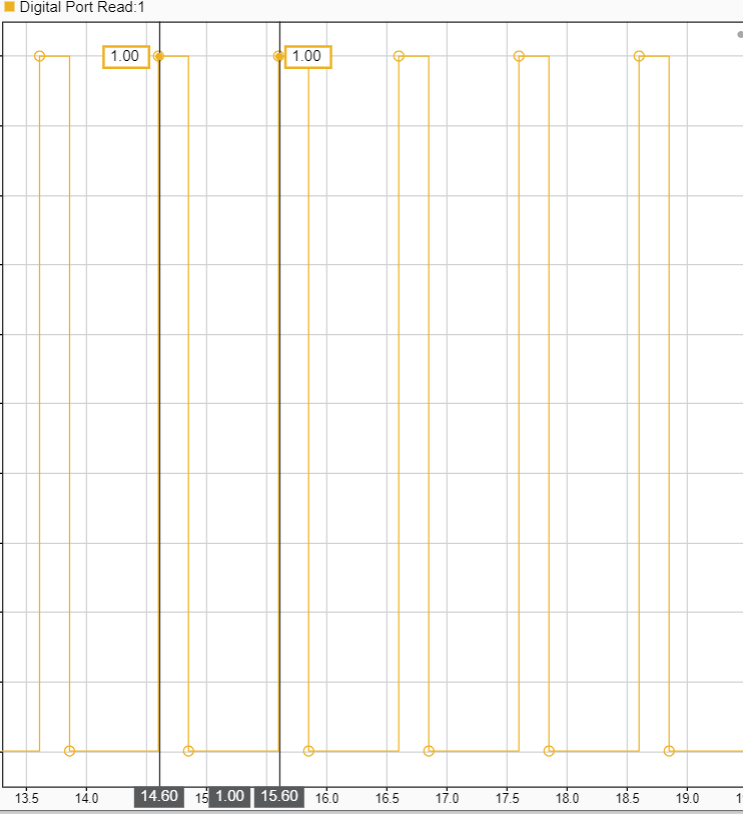
Signal Monitoring and Parameter Tuning of Generated PWM Output
Generate PWM signals on an STM32 processor-based board and tune parameters in real time using External mode.
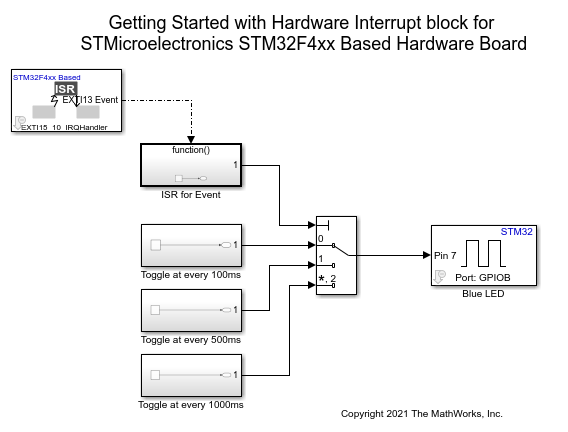
Using Hardware Interrupt Block to Create an ISR on STMicroelectronics STM32 Processor Based Boards
Use a Hardware Interrupt block to create an interrupt service routine (ISR) in the generated code for STM32™ Microcontroller Blockset.
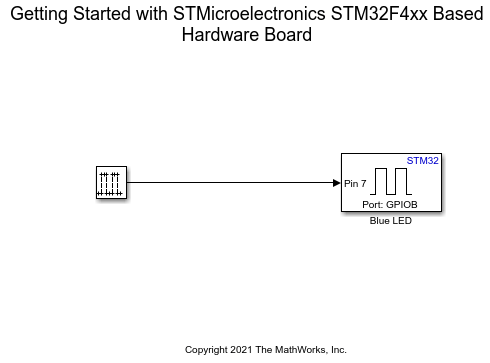
Get Started with STMicroelectronics STM32 Processor Based Boards
Run a Simulink model on STM32 processor.
Ports
Input
Output
Parameters
Programmatic Use: Add Block
To add the block programmatically, use the add_block function with one of these library block paths as the source.
"stm32f1xxblockslib/PWM Output"
"stm32f2xxblockslib/PWM Output"
"stm32f3xxblockslib/PWM Output"
"stm32f4xxblockslib/PWM Output"
"stm32f7xxblockslib/PWM Output"
"stm32g0xxblockslib/PWM Output"
"stm32g4xxblockslib/PWM Output"
"stm32h5xxblockslib/PWM Output"
"stm32h7xxblockslib/PWM Output"
"stm32h7rsxxblockslib/PWM Output"
"stm32l4xxblockslib/PWM Output"
"stm32l5xxblockslib/PWM Output"
"stm32u5xxblockslib/PWM Output"
"stm32f7lib/PWM Output"
"stm32l475vglib/PWM Output"
"stm32f769ilib/PWM Output"
"stm32nucleodiscoboardslib/Common/PWM Output"
"stm32wbxxblockslib/PWM Output"
Example: add_block("stm32f1xxblockslib/PWM Output","myModel/myBlock",MakeNameUnique="on")
Version History
Introduced in R2021b

