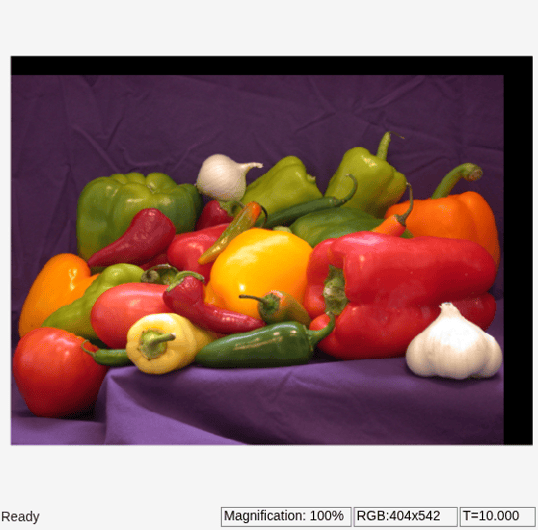
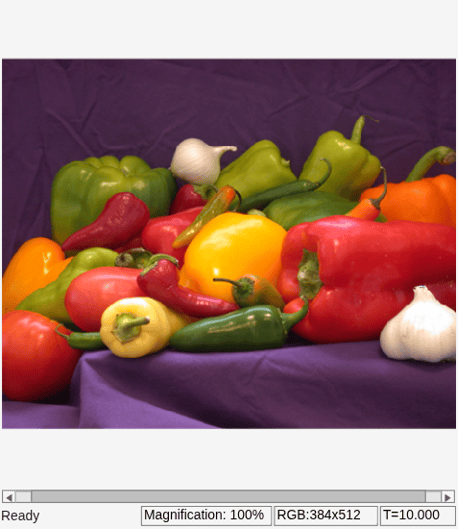
Translate Image in Vertical and Horizontal Directions
R2026bThis example shows how to translate an input image in the vertical and horizontal directions.
Example Model
Open the Simulink® model.
modelname = "ex_translate.slx";
open_system(modelname)
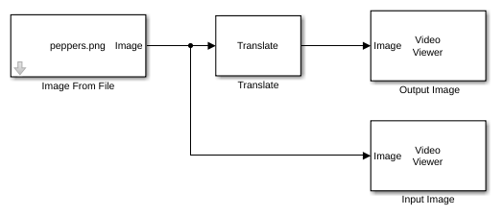
The model reads an input image using the Image From File block, and translates the image 20 pixels downward, in the vertical direction, and 30 pixels leftward, in the horizontal direction, by using a Translate block with these parameter values:
Output size after translation —
FullOffset source —
Specify via dialogOffset —
[20 -30]Background fill value —
0Interpolation method —
Bilinear
Simulate and Display the Results
Run the model. The model displays the input image and the translated output image by using Video Viewer blocks.
sim(modelname);