Getting Started with NI myDAQ
Versión 1.0.0.1 (5,24 KB) por
MathWorks Data Acquisition Toolbox Team
Code example for acquiring data into MATLAB using myDAQ hardware
MATLAB supports NI myDAQ hardware through the Data Acquisition Toolbox. This simple example shows how to setup a DAQ session with myDAQ hardware.
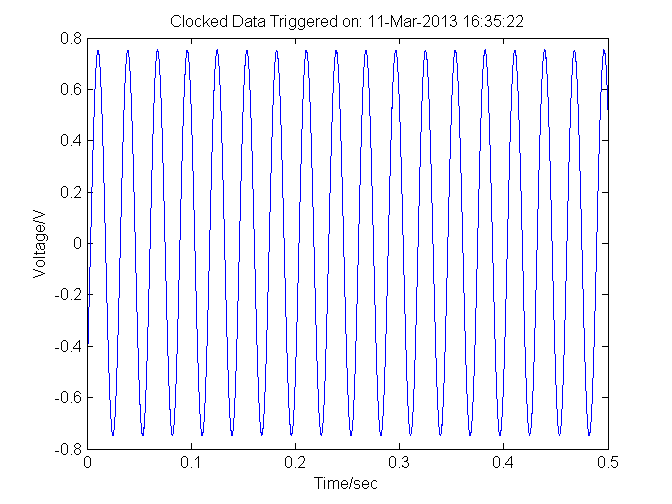
Specifically, the example illustrates how to discover the device, establish a connection with the device, change the sampling rate, change the voltage range and acquire and plot data.
For more information about Data Acquisition Toobox:
www.mathworks.com/products/daq
Citar como
MathWorks Data Acquisition Toolbox Team (2026). Getting Started with NI myDAQ (https://es.mathworks.com/matlabcentral/fileexchange/40749-getting-started-with-ni-mydaq), MATLAB Central File Exchange. Recuperado .
Compatibilidad con la versión de MATLAB
Se creó con
R2013a
Compatible con cualquier versión
Compatibilidad con las plataformas
Windows macOS LinuxCategorías
- Test and Measurement > Data Acquisition Toolbox >
- Test and Measurement > Instrument Control Toolbox > Instrument Control Toolbox Supported Hardware >
- Test and Measurement > Data Acquisition Toolbox > Hardware Discovery and Setup >
- Test and Measurement > Data Acquisition Toolbox > Analog Input and Output >
- Test and Measurement > Data Acquisition Toolbox > Digital Input and Output >
Más información sobre Data Acquisition Toolbox en Help Center y MATLAB Answers.
Etiquetas
Descubra Live Editor
Cree scripts con código, salida y texto formateado en un documento ejecutable.
