hasPointCloud
R2026bDescription
Examples
Download a ZIP file containing an E57 file, and then unzip the file.
zipFile = matlab.internal.examples.downloadSupportFile("lidar","data/e57ParkingLot.zip");
saveFolder = fileparts(zipFile);
e57FileName = [saveFolder filesep 'parkingLot.e57'];
if ~exist(e57FileName,"file")
    unzip(zipFile,saveFolder)
end
Create an e57FileReader object using the downloaded E57 file.
e57Reader = e57FileReader(e57FileName);
Define a variable for storing point clouds, ptCloudArr and their corresponding poses, tformArr.
ptCloudArr = [];
tformArr = [];
Read the point clouds sequentially. Use the hasPointCloud object function to check whether the next point cloud is available.
while hasPointCloud(e57Reader)
   [ptCloud,pcMetadata] = readPointCloud(e57Reader);
    for j = 1:numel(ptCloud) % To read multiple returns
        ptCloudArr = [ptCloudArr ptCloud(j)];
        tformArr = [tformArr pcMetadata.RelativePose];
    end
end
Align the point clouds from the file to create a map.
pcMap = pcalign(ptCloudArr,tformArr);
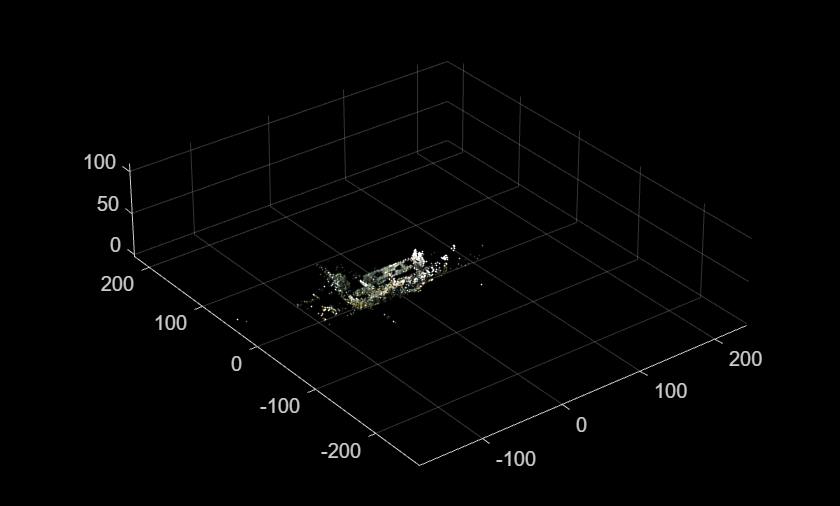
Display the map.
figure
pcshow(pcMap)
Input Arguments
Output Arguments
Version History
Introduced in R2026b

