Parameter Quantization Advisor
R2026bDescription
The Parameter Quantization Advisor app provides details on numerical issues related to parameter quantization. Using this app, you can:
Explore in detail the effects of parameter quantization on your model.
Explore the parameters in a model that have quantization issues, including parameters with a structure value, bus objects, and
Simulink.Parameterobjects.Filter quantization issues that result from parameter overflow, underflow, and precision loss.
Sort quantization issues based on bits of error, absolute error, or relative error.
Adjust parameter precision loss diagnostic configuration parameters.
Analyze parameter memory usage
Required Products
You must have a Fixed-Point Designer™ license to use the Parameter Quantization Advisor app with a model
that contains fixed-point data types. Without a Fixed-Point Designer license, you can use the app only on models that contain built-in data types,
including double, single, int8,
int16, int32, int64,
uint8, uint16, uint32, and
uint64. This requirement applies to both dialog and run-time data
types.

Open the Parameter Quantization Advisor App
Simulink® Toolstrip: On the Debug tab, under Diagnostics, click Parameter Quantization Advisor. (since R2025a)
Diagnostic Viewer: From a numeric diagnostic warning or error, under Suggested Actions, click Open.
MATLAB® Command Window: Enter this command, where
model_nameis the name of the model. (since R2025a)parameterQuantizationAdvisor("model_name")
Examples
Use the Parameter Quantization Advisor app to explore parameter precision loss in a Simulink® model.
Open the sldemo_fuelsys model from the Model Fault-Tolerant Fuel Control System example.
openExample('simulink_automotive/ModelingAFaultTolerantFuelControlSystemExample')Enable parameter precision loss diagnostics. In the Configuration Parameters dialog box, under Diagnostics > Data Validity, in the Parameters section, set the Detect precision
loss diagnostic to warning.
Simulate the model.
The Diagnostic Viewer displays warnings for parameter precision loss.
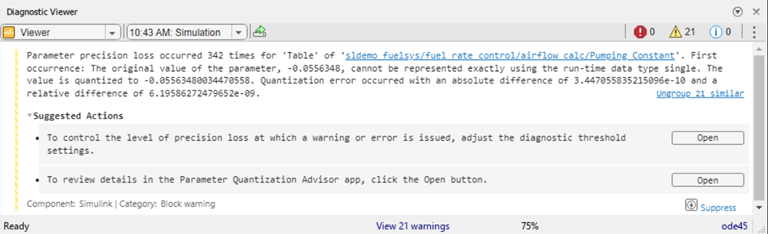
To inspect the details of these diagnostics in the Parameter Quantization Advisor app, from the second bullet under Suggested Actions section, click Open. By default, the app shows quantization issues related to overflow, underflow, and precision loss.
In this example, the model has only precision loss issues, indicated by the gray error icon in the Issue column of the table. Because there are no overflow or underflow issues, the Overflow and Underflow filters are grayed out in the app's toolstrip. Click the Precision Loss filter button to show only parameters with precision loss.
Select the top model sldemo_fuelsys from the Parameter Explorer pane to display the system summary pane with
a total count of parameters, memory usage, and quantization issues in the model. The
system summary pane also includes a tree map visualization of parameter memory usage.
Use the tree map to identify parameters with large memory footprint.
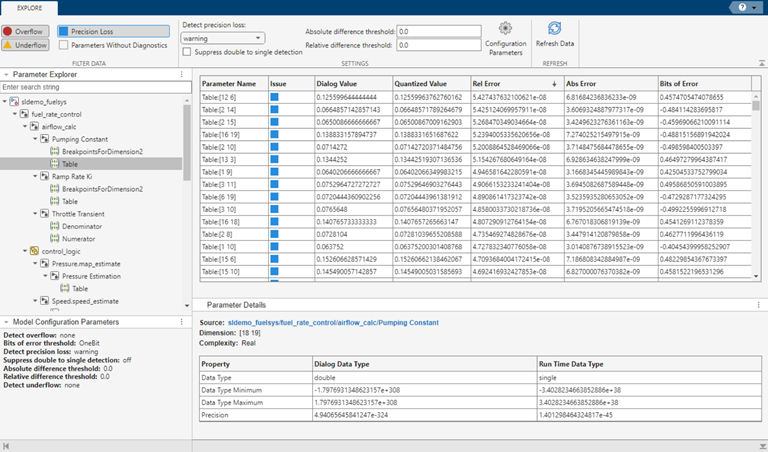
You can select a parameter from the tree map to highlight the parameter in the Parameter Explorer. Use the Parameter Explorer pane to search and navigate to parameters in the model that have quantization loss and view further parameter details. For example, select the Table parameter.
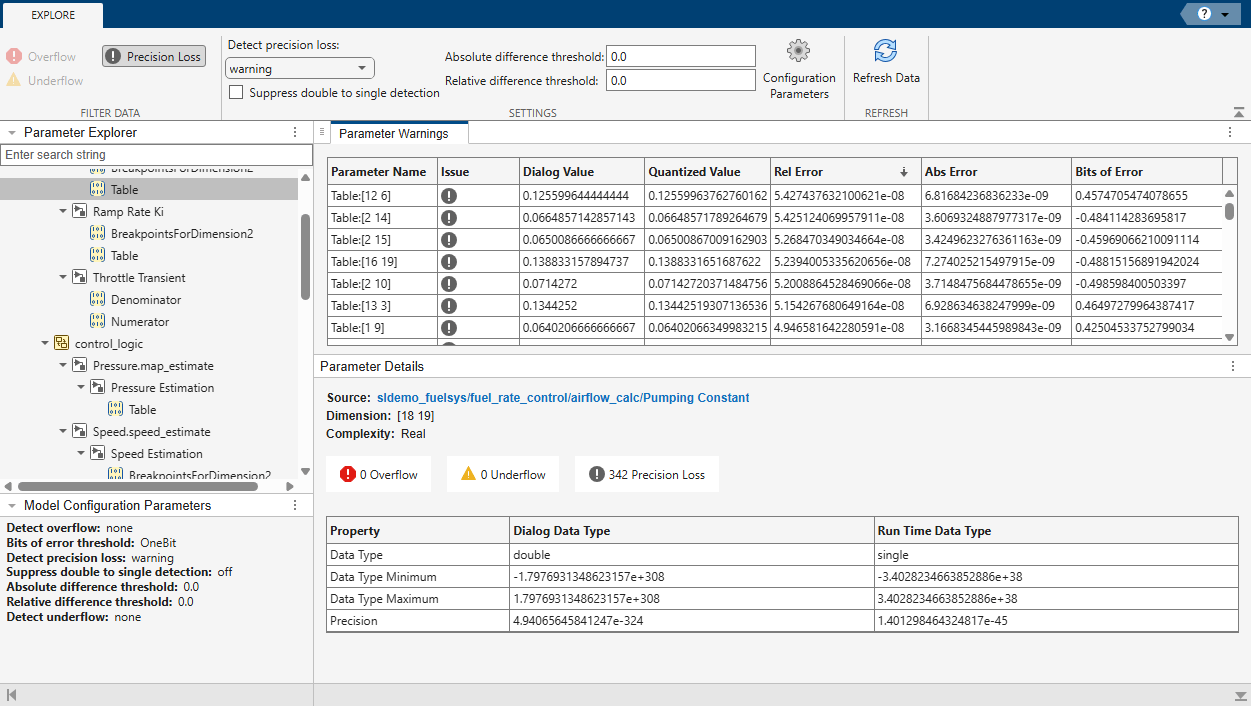
The Parameter Details pane shows that the precision loss warnings are due to conversion from double precision to single precision data types. To suppress these precision loss warnings, select the Suppress double to single detection check box. Click Refresh Data to apply this setting to the model, compile the model, and update the data in the app. After suppressing double-to-single precision loss diagnostics, the app indicates that the model has no quantization issues.
Alternatively, if you want to filter parameter precision loss diagnostics beneath a
certain threshold, use the Absolute difference
threshold and Relative difference
threshold settings. You can also set the Detect
precision loss diagnostic to none,
warning, or error from the Parameter
Quantization Advisor toolstrip.
You can view the current model configuration parameter settings in the Model Configuration Parameters pane. To adjust the model
parameters related to overflow and underflow detection, click the Configuration Parameters button to open the Configuration Parameters
dialog box. Set the Detect precision loss diagnostic to
none, then click OK. After
applying the new settings, in the Parameter Quantization Advisor app, click Refresh Data to compile the model and update the data displayed
in the app.
Programmatic Use
Limitations
Parameters with nested structures are not supported.
The Refresh Data button applies app settings to the model, compiles the model, and updates the data in the app. This button does not update model data in the Diagnostic Viewer and elsewhere.
Tips
The Parameter Explorer pane displays a hierarchical tree of parameters in the model that have quantization issues. You can enter a string to search for a particular element in this tree. To view additional details, select the parameter you want to inspect.
When you filter data in the app, the Parameter Explorer pane reflects this filtering. Parameters with lossless elements, parameters with quantization issues filtered in the app, and parameters with suppressed quantization issues display when you select the Parameters Without Diagnostics filter. (since R2025a)
The Parameter Quantization Advisor app reports information for these quantization issues:
By default, the Parameter Quantization Advisor app hides the parameter overflow and precision loss diagnostics that the above configuration parameters suppress or filter out via threshold settings. To display these diagnostics in the app, use the Parameters Without Diagnostics button.
The Parameter Quantization Advisor app reports details on quantization issues for tunable and nontunable parameters that experience quantization loss.
When the model uses a referenced configuration set, the Parameter Quantization Advisor app overrides the local configuration settings only. The app highlights the locally overridden configuration parameters in blue. For more information on sharing a configuration set with multiple models, see Share a Configuration with Multiple Models. (since R2025a)
Version History
Introduced in R2022bSee Also
Model Settings
- Detect underflow | Detect overflow | Bits of error threshold | Detect precision loss | Suppress double to single detection | Absolute difference threshold | Relative difference threshold
Functions
fixed.unifiedErrorCalculator.absoluteError(Fixed-Point Designer) |fixed.unifiedErrorCalculator.bitsOfError(Fixed-Point Designer) |fixed.unifiedErrorCalculator.relativeAbsoluteError(Fixed-Point Designer)

