matchshape
R2026bDescription
finds instances of the shape model in a search image and returns match results including
the position, rotation, scale, and similarity score for each detected instance.matches = matchshape(model,searchImage)
specifies options using one or more name‑value arguments. For example,
matches = matchshape(model,searchImage,Name=Value)MaxMatches=3 limits the results to the three highest-scoring shape
model instances.
Examples
Read and display the template image.
templateImage = imread("edgeMatchModel.png");
imageshow(templateImage)
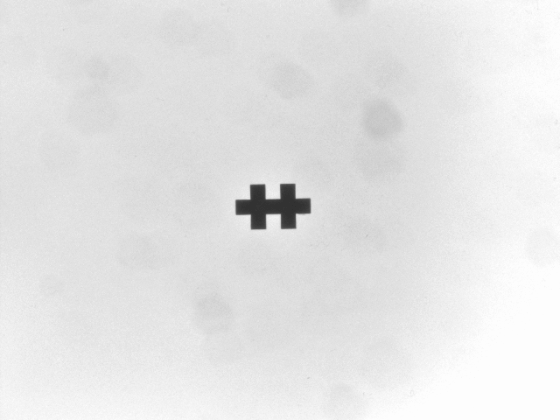
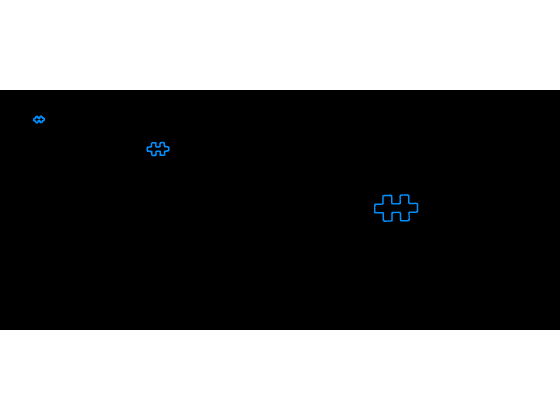
Create a shape model object, then visualize the shape model by using the show function.
model = shapemodel(templateImage); show(model)
Read and display the search image,
searchImage = imread("edgeMatchSearch1.png");
imageshow(searchImage)
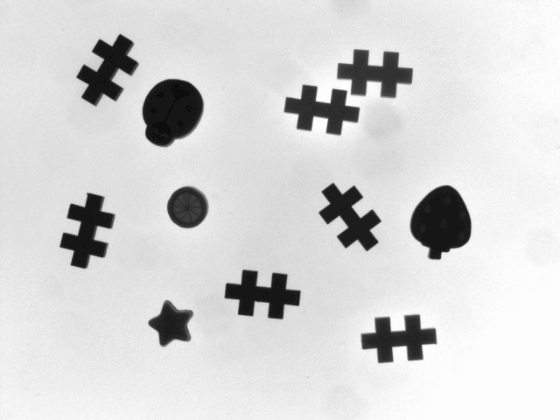
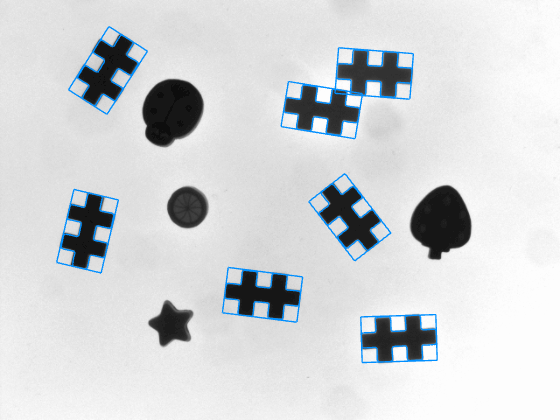
Find and locate shape model instances in the search image by using the matchshape function. Set MaxMatches to 10 to return up to ten instances.
matches = matchshape(model,searchImage,MaxMatches=10);
Visualize the shape model matches in the search image by using the showmatches function.
showmatches(model,matches,searchImage)
Read the template image.
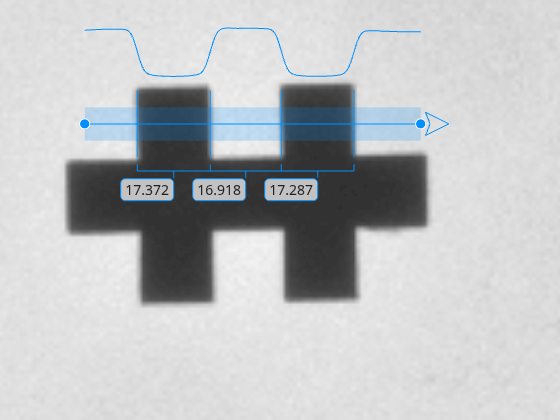
templateImage = imread("edgeMatchModel.png");Create an Image object by using the imageshow function. The image shows the template image with a caliper that is created in the next section.
hIm = imageshow(templateImage);
Define the position of the profile line of the caliper measurement tool so that the profile line contains the all the relevant edges, Then, detect and measure the distances between the edges in the reference image with the caliper tool by using the uicaliper object. Zoom into the template image to get a more detailed view.
caliperPositionInTemplateImage = [274 220; 354 220]; hCal = uicaliper(hIm,Position=caliperPositionInTemplateImage);
hIm.Parent.CameraZoom = 8;
The caliper detects 3 widths of detected edge pairs along the caliper profile.
templateMeasurement = hCal.IntraEdgeDistance
templateMeasurement = 1×3
17.3718 16.9179 17.2868
Create a shape model by using the template image.
model = shapemodel(templateImage);
Store the caliper position relative to the shape model origin.
relativeCaliperPosition = caliperPositionInTemplateImage - model.ModelOrigin;
Load the search image.
searchImage = imread("edgeMatchSearch1.png");Find and locate shape model instances in the search image by using the matchshape function.
matches = matchshape(model,searchImage);
The match result includes a geometric transformation that maps template coordinates to the search image. Apply the match transformation to place the caliper in the search image by using the transformPointsForward function.
caliperPositionMatch = transformPointsForward(matches.ModelOriginTransformation,relativeCaliperPosition); hImSearch = imageshow(searchImage); hCalMatch = uicaliper(hImSearch,Position=caliperPositionMatch);
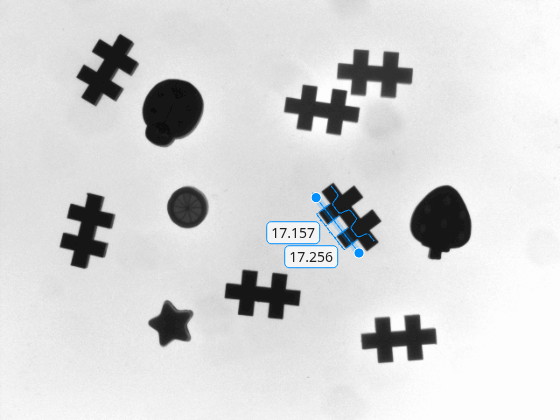
Compare the template and search image measurements to verify consistency.
searchMeasurement = hCalMatch.IntraEdgeDistance; table(templateMeasurement(:),searchMeasurement(:),VariableNames=["Template","Search"])
ans = 3×2 table
Template Search
________ ______
17.372 17.256
16.918 17.07
17.287 17.157
Input Arguments
Shape model created using a template image, specified as a shapemodel object or an array of shapemodel objects. When you specify an array of shapemodel objects, each
element represents a shape model created using a different template image.
Image data to search for instances of the shape model, specified as one of the following image types:
Grayscale image — Specify an m-by-n numeric matrix.
RGB image — Specify an m-by-n-by-3 numeric array.
Name-Value Arguments
Specify optional pairs of arguments as
Name1=Value1,...,NameN=ValueN, where Name is
the argument name and Value is the corresponding value.
Name-value arguments must appear after other arguments, but the order of the
pairs does not matter.
Example: ScoreThreshold = 0.8 specifies that the function returns
matches with a score higher than or equal to 0.8.
Minimum match score required for a detected instance to be returned as a match, specified as a scalar in the range of [0, 1]. Candidates with a score below this threshold are discarded.
When the shape model object has more than one pyramid level, increasing the score threshold can reduce matching time because low‑scoring candidates are discarded during searches of pyramid levels.
Maximum number of shape model instances to return, specified as a positive integer. The function returns the highest‑scoring matches up to this limit.
Maximum allowable overlap between detected shape model instances, specified as a scalar in the range of [0, 1]. When the overlap between two matches exceeds this threshold, the function discards the match with the lower score.
This argument applies only when multiple matches are detected, which can occur
when MaxMatches is greater than 1.
Gradient polarity during scoring, specified as
"sensitive" or
"globally-insensitive".
Minimum gradient magnitude, specified as "model" or a scalar in
the range (0, 1). Specify this value to discard model points in the search image that
are below this threshold.
When you specify "model", the threshold is determined from the
BackgroundGradientMagnitude property of the shape
model.
Output Arguments
Shape matching results, returned as a 1‑by‑N array of Match objects. Each element corresponds to one detected shape model
instance.
Version History
Introduced in R2026b
See Also
MATLAB Command
You clicked a link that corresponds to this MATLAB command:
Run the command by entering it in the MATLAB Command Window. Web browsers do not support MATLAB commands.
Seleccione un país/idioma
Seleccione un país/idioma para obtener contenido traducido, si está disponible, y ver eventos y ofertas de productos y servicios locales. Según su ubicación geográfica, recomendamos que seleccione: .
También puede seleccionar uno de estos países/idiomas:
Cómo obtener el mejor rendimiento
Seleccione China (en idioma chino o inglés) para obtener el mejor rendimiento. Los sitios web de otros países no están optimizados para ser accedidos desde su ubicación geográfica.
América
- América Latina (Español)
- Canada (English)
- United States (English)
Europa
- Belgium (English)
- Denmark (English)
- Deutschland (Deutsch)
- España (Español)
- Finland (English)
- France (Français)
- Ireland (English)
- Italia (Italiano)
- Luxembourg (English)
- Netherlands (English)
- Norway (English)
- Österreich (Deutsch)
- Portugal (English)
- Sweden (English)
- Switzerland
- United Kingdom (English)