Capture Observability Metrics for MATLAB Web App Server
You can capture, view, and export observability metrics from MATLAB® Web App Server™. These metrics can provide insights into server status, application performance, historical usage, and worker availability.
The telemetry data can be exported using OTLP and integrated with monitoring tools such as Prometheus® or Grafana® for real-time visualization and analysis.
Observability Metrics
If you enable capturing metrics on the server, the following metrics are logged:
| Metric | Description | Type | Labels |
|---|---|---|---|
matlabwebappserver_app_launched_total | Total number of web apps launched | Counter |
|
matlabwebappserver_app_launched_succeed_total | Total number of web apps launched successfully | Counter |
|
matlabwebappserver_idle_sessions | Total available pre-warmed workers on the server instance | Gauge |
|
matlabwebappserver_sessions_in_use | Number of workers assigned to web apps on the server instance | Gauge |
|
matlabwebappserver_app_start_duration_seconds | Number of seconds taken to launch a web app | Histogram |
|
matlabwebappserver_authentication_failed_total | Total number of failed authentication requests | Counter |
|
Enable Metrics Capturing
By default, MATLAB
Web App Server does not capture any metrics. Enable capturing metrics by using the webapps-config
system command to set the following keys:
metrics_type
off(default): Do not capture metrics.debug: Output metrics to the command console window.otlp: Export metrics to an OTLP HTTP endpoint (e.g., Grafana) using theOpenTelemetryprotocol. This option requires a destination endpoint.
metrics_destination
HTTP endpoint URL for the metrics receiver. This parameter is only required if you configure the metrics type as
otlp.
For example, enable OTLP output to the HTTP endpoint
https://opentelemetry-collector.observability.svc.cluster.local:4318/v1/metrics.
webapps-config metrics_type otlp
webapps-config metrics_destination "https://opentelemetry-collector.observability.svc.cluster.local:4318/v1/metrics"
View Metrics Data
You can view telemetry data in the console window or export it to a data dashboard with an OTLP endpoint.
View Metrics in Console
If you configure the metrics type as debug, metrics are displayed
in the server console window.
The following is an example of session metrics as displayed in the console.
{
  scope name    : mw_webappserver
  schema url    :
  version       :
  start time    : 10/7/2025 7:24:01 PM
  end time      : 10/7/2025 7:24:31 PM
  instrument name       : matlabwebappserver_sessions_in_use
  description   : Current Active Sessions
  unit          :
  type     : LastValuePointData
  timestamp     : 1759865071308301700
  valid     : true
  value     : 0
  attributes            :
  resources     :
        service.name: MATLAB WebApp Server
        telemetry.sdk.language: cpp
        telemetry.sdk.name: opentelemetry
        telemetry.sdk.version: 1.19.0
  start time    : 10/7/2025 7:24:01 PM
  end time      : 10/7/2025 7:24:31 PM
  instrument name       : matlabwebappserver_idle_sessions
  description   : Current Prewarmed Idle Sessions
  unit          :
  type     : LastValuePointData
  timestamp     : 1759865071308294900
  valid     : true
  value     : 11
  attributes            :
  resources     :
        service.name: MATLAB WebApp Server
        telemetry.sdk.language: cpp
        telemetry.sdk.name: opentelemetry
        telemetry.sdk.version: 1.19.0
}
Export Metrics Data to Dashboard
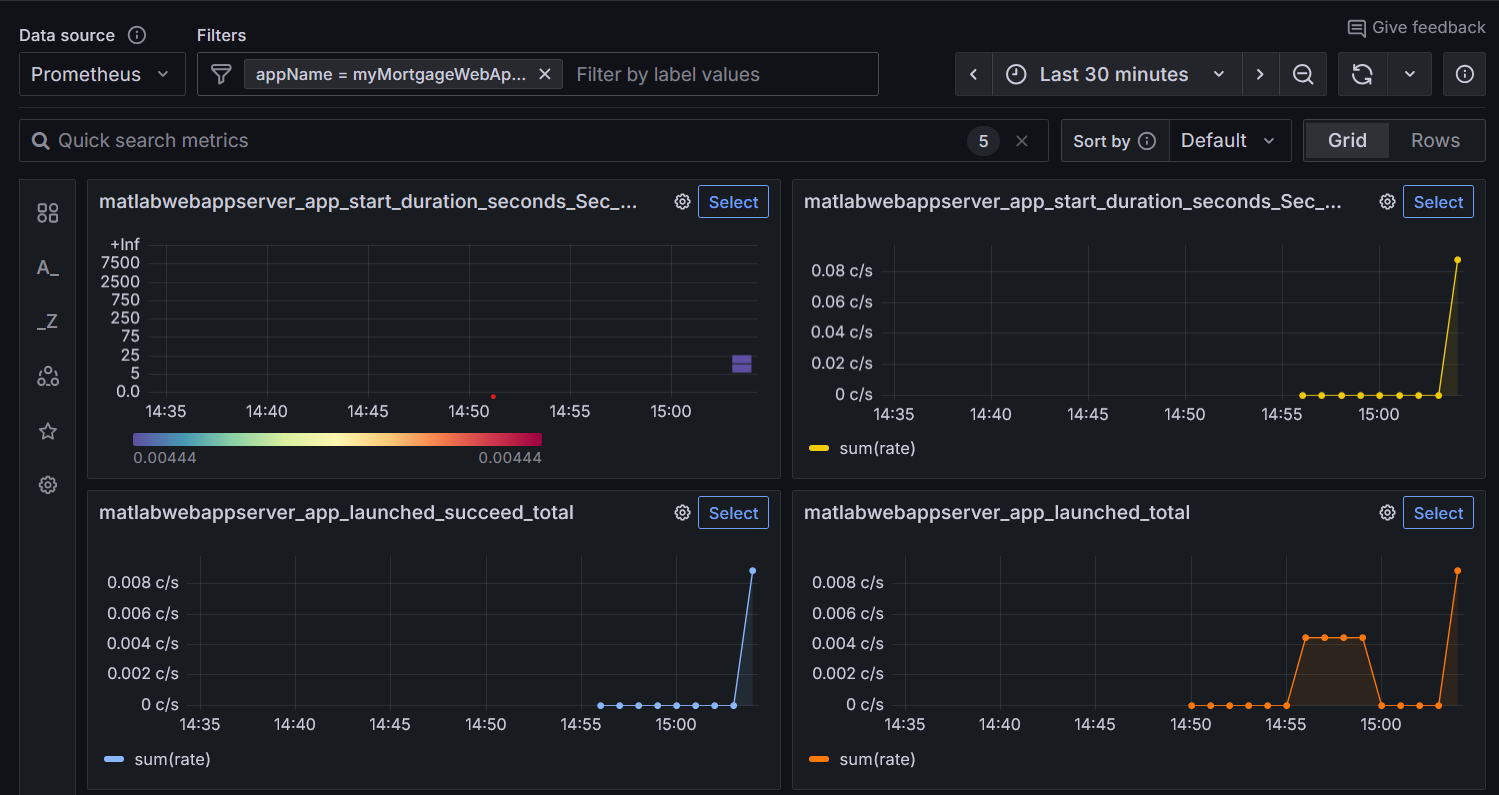
You can export telemetry data to a data dashboard such as Grafana to set up alerts and analyze trends. To export data, ensure that your services are configured with an OTLP endpoint to receive telemetry data.
If you configure the metrics type as otlp and specify a
destination OTLP endpoint, MATLAB
Web App Server exports metrics to the provided endpoint. Once the received data is
integrated, your dashboard displays real-time metrics from the server.
Below is a sample Grafana panel visualizing server metrics.