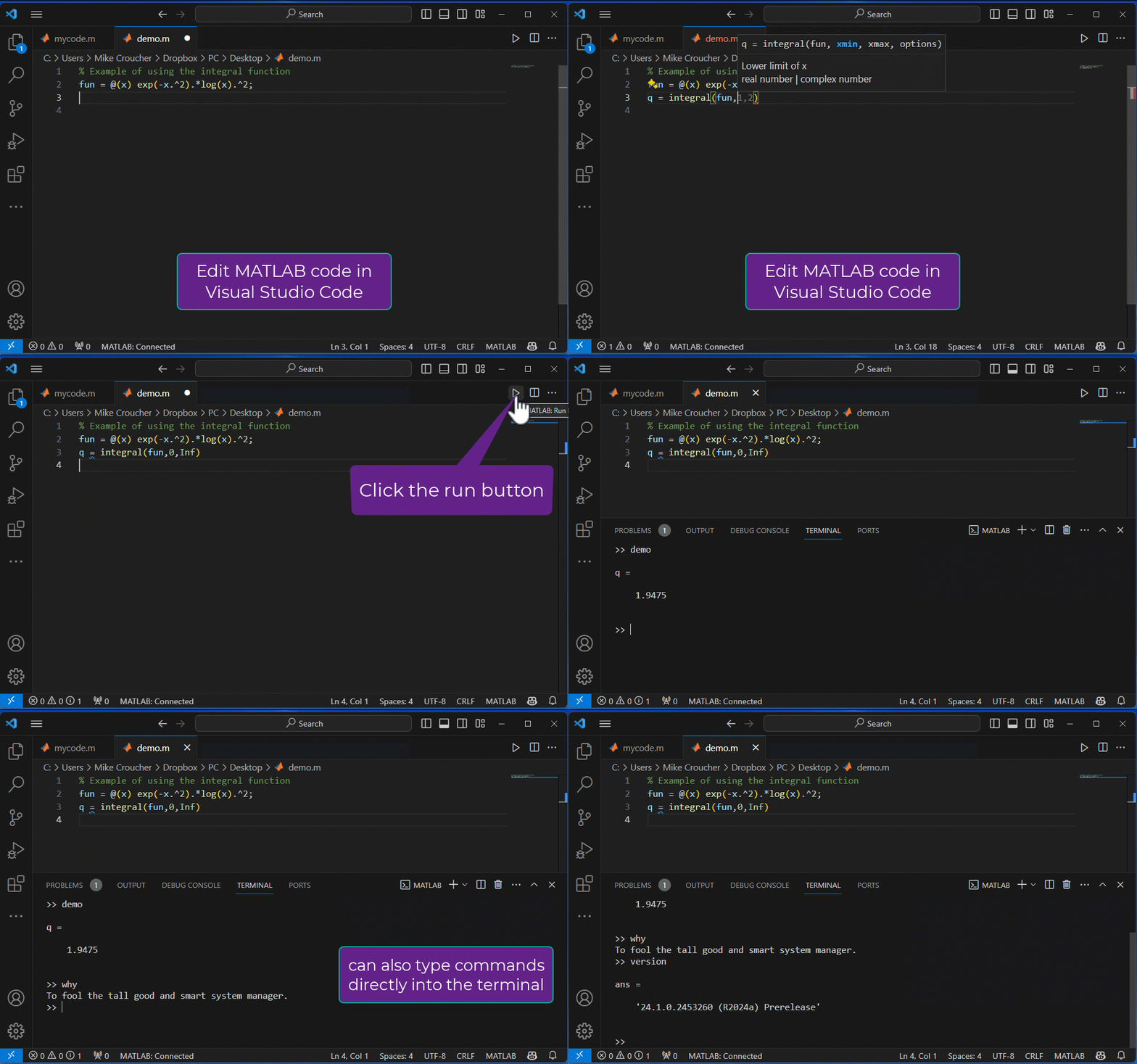
Run MATLAB code from Visual Studio Code
Updated release available today! MATLAB extension for Visual Studio Code: Now with code execution » The MATLAB Blog - MATLAB & Simulink (mathworks.com)
6 Comentarios
Tiempo descendente
after updating the MATLAB to 25
>> workspace
Error using workspace (line 33)
No Desktop found. The Desktop must be running to use this command.
i think that is becuase the GUI of the MATLAB have been changed

It's even better now! There's also debugging support as of December 2024.

The VSCode extension was awesome before the latest release. Now it is almost unbeatable. I cannot wait to see the additional features coming in the future. I am so much more effective with VSCode and VIM motions plus the additional helper extension in editing my MATLAB code.
Huge thank you to the team!
Glad to hear you are liking it so much. I'll pass your thanks on to the team.

If I install MATLAB on the remote linux server, but connect to the server's MATLAB in local vscode on Windows, and then do a plotting operation, I can't get the image to show up, so I'm waiting for another feature enhancement.
I tried to use the "desktop" command in the MATLAB terminal in VSC, but the following error is reported directly:
>> desktop
Error using desktop
The Desktop is not available in this configuration
Error in desktop
Thanks for the feedback. I've added your request to the GitHub issues log Support access to a remote MATLAB · Issue #106 · mathworks/MATLAB-extension-for-vscode (github.com)
Inicie sesión para participar
Etiquetas

