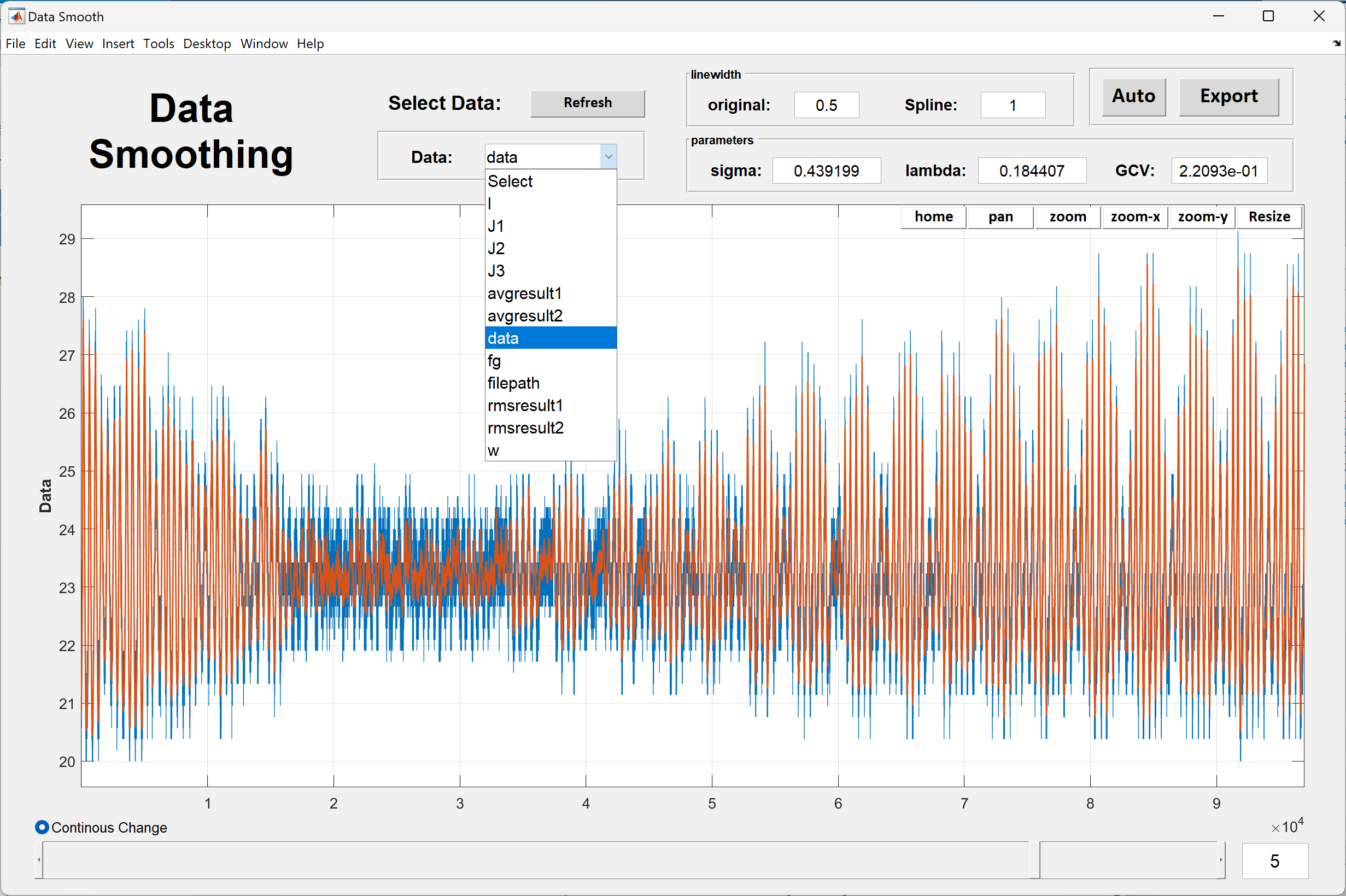
1. Select Data, if the variable name is not in the list, press Refresh button and try again
2. Select interested data range using northeast corner buttons and push resize button to resize the data
3. Using Slider to change sigma value, or just dirctly change sigma value, sigma form 0 to 1. If sigma need to be very small, increase the value right to the slider.
4. If the linewigth is too small, change the linewidth in "original" and "spline" box
5. You also can use "Auto" button to select "best" spline based on gcv (generized cross validation) score
6. when finished, press Export button, edit output data name, data will export to workspace
If you are boring, Try to right click somewhere in this gui, you may find something
Citar como
HS Ding (2026). SmoothData (https://es.mathworks.com/matlabcentral/fileexchange/166901-smoothdata), MATLAB Central File Exchange. Recuperado .
Compatibilidad con la versión de MATLAB
Se creó con
R2022b
Compatible con cualquier versión
Compatibilidad con las plataformas
Windows macOS LinuxEtiquetas
Descubra Live Editor
Cree scripts con código, salida y texto formateado en un documento ejecutable.
