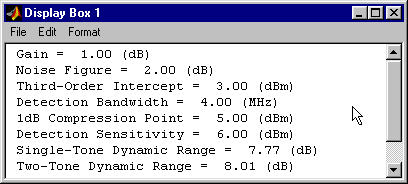
GPRINTF
General replacement for fprintf which allows printing formatted text to separate editable window.

Ahora está siguiendo esta publicación
- Verá actualizaciones en las notificaciones de contenido en seguimiento.
- Podrá recibir correos electrónicos, en función de las preferencias de comunicación que haya establecido.
Citar como
Mark Brown (2026). GPRINTF (https://es.mathworks.com/matlabcentral/fileexchange/1780-gprintf), MATLAB Central File Exchange. Recuperado .
Información general
- Versión (6,65 KB)
Compatibilidad con la versión de MATLAB
- Compatible con cualquier versión
Compatibilidad con las plataformas
- Windows
- macOS
- Linux
| Versión | Publicado | Notas de la versión | Action |
|---|---|---|---|
| 2.2.0 | Added BSD License. |
||
| 1.0.0 | GPRINTF has been superseded by JPRINTF. The new JPRINTF has the same functionality, but is completely written in Java and is platform independent. GPRINTF users are urged to switch to JPRINT. GPRINTF will no longer be maintained. |

