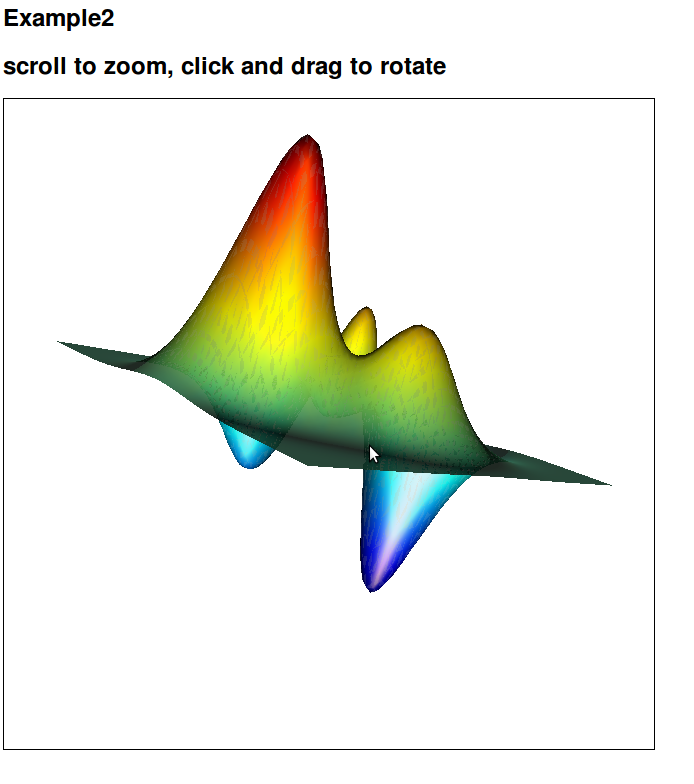
Plot mesh as animated interactive html
Convert a matlab mesh to a transforming 3D figure on the web
https://github.com/benjaminirving/matlab-to-html-plot-animated

Ahora está siguiendo esta publicación
- Verá actualizaciones en las notificaciones de contenido en seguimiento.
- Podrá recibir correos electrónicos, en función de las preferencias de comunicación que haya establecido.
Nota del editor: This file was selected as MATLAB Central Pick of the Week
Citar como
Benjamin I (2026). Plot mesh as animated interactive html (https://github.com/benjaminirving/matlab-to-html-plot-animated), GitHub. Recuperado .
Categorías
Más información sobre Call Web Services from MATLAB Using HTTP en Help Center y MATLAB Answers.
Información general
- Versión (261 KB)
-
 Ver licencia en GitHub
Compatibilidad con la versión de MATLAB
- Compatible con cualquier versión
Compatibilidad con las plataformas
- Windows
- macOS
- Linux
Para consultar o notificar algún problema sobre este complemento de GitHub, visite el repositorio de GitHub.
Para consultar o notificar algún problema sobre este complemento de GitHub, visite el repositorio de GitHub.

