PeterRochford/Skill​MetricsToolbox

A collection of functions for calculating the skill of model predictions against observations.

https://github.com/PeterRochford/SkillMetricsToolbox/wiki

Ahora está siguiendo esta publicación

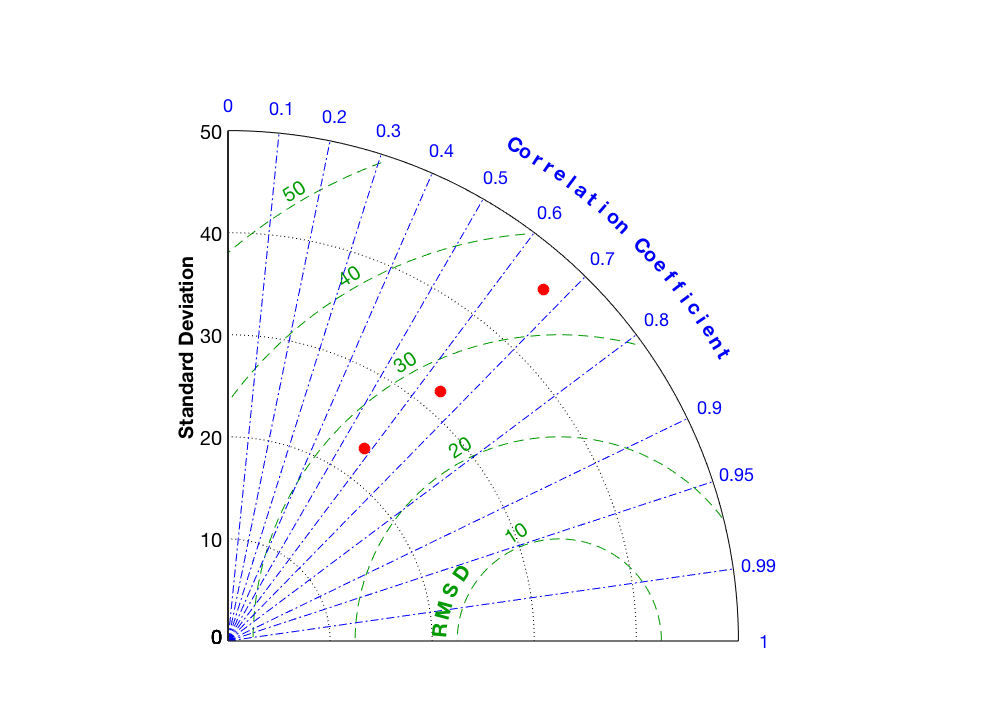
This toolbox contains a collection of Matlab functions for calculating the skill of model predictions against observations. Its primary value is in producing target and Taylor diagrams.
Evaluation of the predictive skill of models generally rely on analyzing the values provided by a variety of statistical metrics. While this analysis may be relatively straightforward when using a few metrics, it can become complicated when considering multiple model predictions, either for different model parameterizations, with respect to multiple references, or many models. To aid in this analysis, mathematical diagrams have been designed to graphically indicate which models provide the best predictive skill relative to a chosen reference. Two particular types of diagram that are simple to interpret and are widely used are the target and Taylor diagrams. These diagrams provide a means to compile statistical measures of the predictive skill of multiple models into a single graph that facilitates comparison and analysis.

Citar como

Peter Rochford (2026). PeterRochford/SkillMetricsToolbox (https://github.com/PeterRochford/SkillMetricsToolbox), GitHub. Recuperado .

Agradecimientos

Inspirado por: rgb.m, Taylor Diagram

Categorías

Más información sobre Using MATLAB Projects in Simulink en Help Center y MATLAB Answers.

Información general

Compatibilidad con la versión de MATLAB

  • Compatible con cualquier versión desde R2018b hasta R2020b

Compatibilidad con las plataformas

  • Windows
  • macOS
  • Linux

No se pueden descargar versiones que utilicen la rama predeterminada de GitHub

Versión Publicado Notas de la versión Action
1.8.3.1

Added missing check_color.m file.

1.8.3.0

Implemented capability to use an RGB triplet for the markerColor parameter in both the target and Taylor diagram functions.

1.8.2.0

Fixed bug of incorrect passing of statistics to the check_taylor_stats function.

1.8.1.0

Forgot to commit code to git repository on GitHub before publishing to Matlab Central.

1.8.0.0

This version now includes the following new options:
1) choice of marker type using the markerSymbol option.
2) choice of RMSD title on the Taylor diagram using the labelRMS option.

1.7.0.0

Added ability to overlay multiple sets of data, specify marker symbols and colors, and use a large number of symbols of different color along with a legend.

1.6.0.0

Added ‘CMapZData’ option that allows markers to be color scaled according to other measures such as bias. Added two Taylor diagram examples: 1) use of legend with multiple columns, and 2) color scaling of markers using bias value.

1.5.0.0

Changed toolbox to use xlabel/ylabel, etc., rather than custom use of text function. This allows easier control of font size for labels using returned handles as documented on the FAQ: http://github.com/PeterRochford/SkillMetricsToolbox/wiki/FAQ.

1.4.0.0

Added options to adjust marker symbol face color (transparent through opaque) and marker size. Axes font size and line widths are now adjustable via default figure properties. Implemented better default angle for placement of RMSD contour values.

1.3.0.0

Added options for displaying observation standard deviation on the axis, a label for the point, and a circle.

1.2.0.0

Version 1.2 is compliant with GNU Octave, version 4.2.0. All of the latest example plots were generated with Octave and may not be as good as those using Matlab.

Newly added statistical metrics are bias, Brier score, Brier skill score, and RMSD.
Corrected toolbox name.
A Wiki of the toolbox tutorial can be found at https://github.com/PeterRochford/SkillMetricsToolbox/wiki.

1.1.0.0

Corrected typographic errors.

1.0.0.0

Para consultar o notificar algún problema sobre este complemento de GitHub, visite el repositorio de GitHub.