Fundamentos del cálculo paralelo
R2026bEl cálculo paralelo puede ayudar a resolver problemas computacionales grandes de distintas formas. MATLAB® y Parallel Computing Toolbox™ ofrecen un entorno de programación interactivo para abordar las tareas computacionales. Si el código se ejecuta demasiado lento, puede perfilarlo, vectorizarlo y utilizar el cálculo paralelo integrado en MATLAB. Después, puede intentar acelerar el código con parfor en múltiples workers de MATLAB en un grupo paralelo. Si trabaja con Big Data, puede escalar con arreglos distribuidos o datastore. También puede ejecutar una tarea con parfeval sin esperar a que termine, para continuar con otras tareas. Puede utilizar distintos tipos de hardware para resolver problemas de cálculo paralelo, como equipos de escritorio, GPU, clusters y nubes. Para empezar, consulte Quick Start Parallel Computing in MATLAB.
Funciones
Herramientas
| Pool Dashboard | Monitor and visualize activity on parallel pools (Desde R2025a) |
Temas
Conceptos básicos
- Elegir una solución de cálculo paralelo
Descubra las funcionalidades más importantes que ofrecen MATLAB y Parallel Computing Toolbox para resolver problemas de cálculo paralelo. - Parallel Language Decision Tables
Discover example use cases for common parallel computing language features. - Quick Start Parallel Computing in MATLAB
Learn about parallel computing in MATLAB and Parallel Computing Toolbox. - Ejecute funciones MATLAB con soporte paralelo automático
Aproveche los recursos informáticos paralelos sin necesidad de codificación adicional. - Ejecute bucles de forma interactiva en paralelo usando parfor
Convierta un bucleforen un bucleparforescalable. - Choose How to Manage Data in Parallel Computing
Determine the data management approach that meets your parallel computing requirements. - Trazar gráficas durante un barrido de parámetros con parfor
Realice un barrido de parámetros en paralelo y represente el progreso durante los cálculos paralelos. - Scale Up from Desktop to Cluster
Develop your parallel MATLAB® code on your local machine and scale up to a cluster. - Run Batch Parallel Jobs
Use batch to offload work from your MATLAB session to run in the background. - Process Big Data in the Cloud
This example shows how to access a large data set in the cloud and process it in a cloud cluster using MATLAB® capabilities for big data. - Evaluate Functions in the Background Using parfeval
Break out of an optimizing loop early and collect results as they become available. - Ejecutar funciones de MATLAB en una GPU
Proporcione un argumentogpuArraypara ejecutar funciones en una GPU automáticamente. - Train Network in the Cloud Using Automatic Parallel Support (Deep Learning Toolbox)
This example shows how to train a convolutional neural network using MATLAB® automatic support for parallel training.
Supervisar y perfilar código paralelo
- Profiling Parallel Code
Use the parallel profile to determine the calculation and communications time for each worker. - Monitor Pool Workers with Pool Dashboard
Learn how to collect and analyze monitoring data using the Pool Dashboard. (Desde R2025a) - Optimize parfor-Loops with Pool Dashboard
This example shows how to use pool monitoring data from the Pool Dashboard to optimize aparfor-loop. (Desde R2025a) - Programmatically Collect Pool Monitoring Data
Use a command line interface to collect pool activity monitoring data. (Desde R2025a) - Save and View Pool Monitoring Results
Save monitoring results as MAT files and access them at a later time. (Desde R2025a)
Más Información
- ¿Qué es la computación paralela?
Obtenga más información sobre MATLAB y Parallel Computing Toolbox. - Ejecutar código en grupos paralelos
Obtenga información sobre cómo iniciar y detener grupos paralelos, su tamaño y la selección de clústeres. - Determine Default Pool Size for Local Parallel Environments
Learn how MATLAB automatically sets the default number of workers for local parallel environments. - How Parallel Pool Recovery Works
Learn about how MATLAB manages pool worker failure. - Especifique sus preferencias paralelas
Especifique sus preferencias y cree automáticamente un grupo paralelo. - Choose Between Thread-Based and Process-Based Environments
With Parallel Computing Toolbox, you can run your parallel code in different parallel environments, such as thread-based or process-based environments. - Ejecutar funciones de MATLAB en entornos basados en subprocesos
Compruebe la compatibilidad de las funciones de MATLAB que desea ejecutar en segundo plano. - Set Environment Variables on Workers
Copy system environment variables from the client to workers in a cluster. - Write Portable Parallel Code
Write parallel code that can use parallel resources if you have Parallel Computing Toolbox and that still runs if you do not have Parallel Computing Toolbox. - Troubleshooting and Debugging
Describes common programming errors and how to avoid them.
Ejemplos destacados
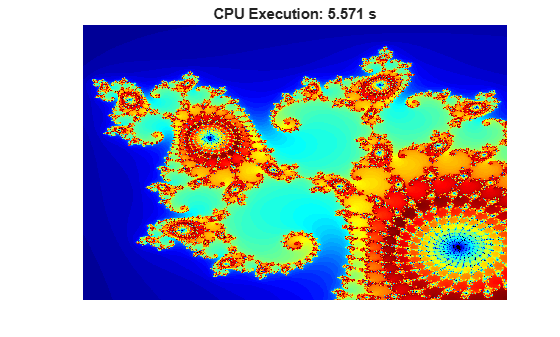
Illustrating Three Approaches to GPU Computing: The Mandelbrot Set
Adapt your MATLAB® code to compute the Mandelbrot Set using a GPU.
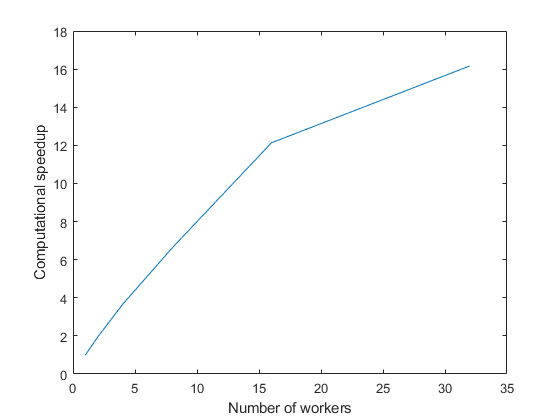
Use parfor to Speed Up Monte-Carlo Code
Speed up Monte-Carlo code by using parfor-loops. Monte-Carlo methods are found in many fields, including physics, mathematics, biology, and finance. Monte-Carlo methods involve executing a function many times with randomly distributed inputs. With Parallel Computing Toolbox™, you can replace a for-loop with a parfor-loop to easily speed up code.
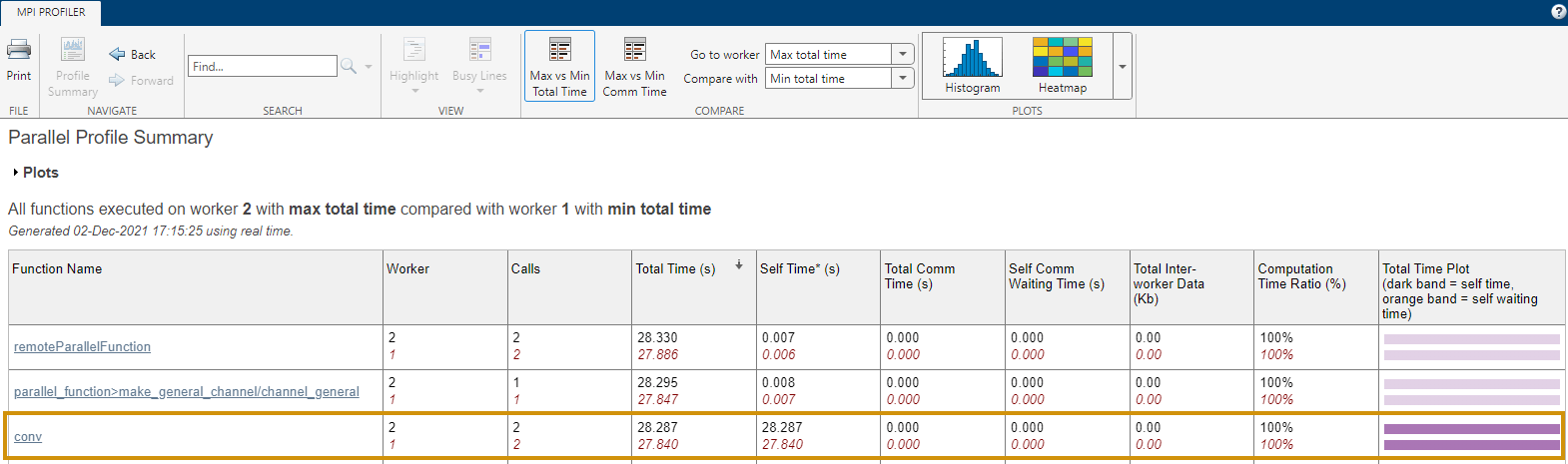
Profile Parallel Code
Profile parallel code using the parallel profiler on workers in a parallel pool.

