Second plot accidently with legends from first plot
Mostrar comentarios más antiguos
Hello, i independantly want to plot the following Data.
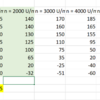
But as you can see i have some leftover data from the first plot i made further at the beginning of my script. What is the command to set the plot presets to zero?

3 comentarios

Image Analyst
el 21 de Mayo de 2022
Editada: Image Analyst
el 21 de Mayo de 2022
What "following Data"? None is attached or generated by lines of code.
"as you can see i have some leftover data" <= Just how do we see that? All I see are some variables multiplied together followed by a plot command. Where do we see the leftover data? You didn't even include a screenshot of your plot.
Can you read this then fix your post so people at least have a chance of answering it?
Mapete
el 22 de Mayo de 2022

Rik
el 7 de Jun. de 2022
I recovered the removed content from the Google cache (something which anyone can do). Editing away your question is very rude. Someone spent time reading your question, understanding your issue, figuring out the solution, and writing an answer. Now you repay that kindness by ensuring that the next person with a similar question can't benefit from this answer.
Respuestas (1)

Walter Roberson
el 22 de Mayo de 2022
cla can be used.
But a lot of a time, you just
hold off
and let it reset itself.
When I look at your plot, I wonder if you used yyaxis? If so then see the tips at https://www.mathworks.com/help/matlab/ref/yyaxis.html#buofqx8-4
Categorías
Más información sobre 2-D and 3-D Plots en Centro de ayuda y File Exchange.
el 21 de Mayo de 2022
el 7 de Jun. de 2022
Community Treasure Hunt
Find the treasures in MATLAB Central and discover how the community can help you!
Start Hunting!
Translated by 

