how to color a surface?
Mostrar comentarios más antiguos
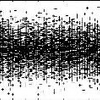
Evrytime i try to color a surface the entire plot comes out to be pitch black in color. i tried these codes..please temme if they r right or wrong.
figure(6)
colormap hsv
surf(ti,X,P_s)
colorbar
ylabel('Distance along pipeline (m)')
xlabel('time (hours)')
zlabel('Pressure (bar)')
grid on
plzz help!
10 comentarios

Image Analyst
el 25 de Ag. de 2013
I see you using the colormap function - doesn't that color it?

roro6992
el 25 de Ag. de 2013

Walter Roberson
el 25 de Ag. de 2013
Editada: Walter Roberson
el 25 de Ag. de 2013
What are max() and min() of P_s(:) ?
Does the problem still occur if you do not have "grid on" ?
roro6992
el 25 de Ag. de 2013
Walter Roberson
el 25 de Ag. de 2013
To check: do you get a colored plot if you do not use "colormap hsv" ?
roro6992
el 25 de Ag. de 2013
roro6992
el 25 de Ag. de 2013
Walter Roberson
el 25 de Ag. de 2013
Odd... I don't know. A couple of more experiments:
1)
opengl software
This would be to workaround some drawing bugs
2)
surf(ti,X,double(P_s))
This is complete speculation on my part as to what the cause might be.
Walter Roberson
el 25 de Ag. de 2013
The "opengl" command could be used at any point.
Respuestas (1)
Youssef Khmou
el 26 de Ag. de 2013
I think your data have many isosamples, that makes the colormap concentrated because of the interpolation,add this command before using colormap :
shading interp
Categorías
Más información sobre Orange en Centro de ayuda y File Exchange.
el 25 de Ag. de 2013
Community Treasure Hunt
Find the treasures in MATLAB Central and discover how the community can help you!
Start Hunting!
Translated by 

