Resultados de

I’ve installed Claude-code, MATLAB MCP Core Server, and now Puppeteer on my MacBook Pro. Puppeteer can navigate and operate web pages like Perplexity Comet or the new Claude Chrome Extension. The new wrinkle is MATLAB in the loop.
Claude-code and MATLAB MCP installation are described at Experiments with Claude code and MATLAB MPC Core Server . To install and configure Puppeteer, I used Claude App and its ability to use my MATLAB’s access to system files. The installation includes a Google Chrome for testing browser that is independent of (and does not interfere with) my normal Chrome browser. Puppeteer installation took just minutes of my approving various steps, and quitting and relaunchinbg Claude App. A minor hiccough was overwriting a special fetch connector configuration but that was readily fixed. The resulting linkage is Claude (cloud) ↔ Claude Desktop App ↔ MCP Server (local) ↔ Puppeteer ↔ Chrome for Testing (local) as well as the link to MATLAB on my laptop.
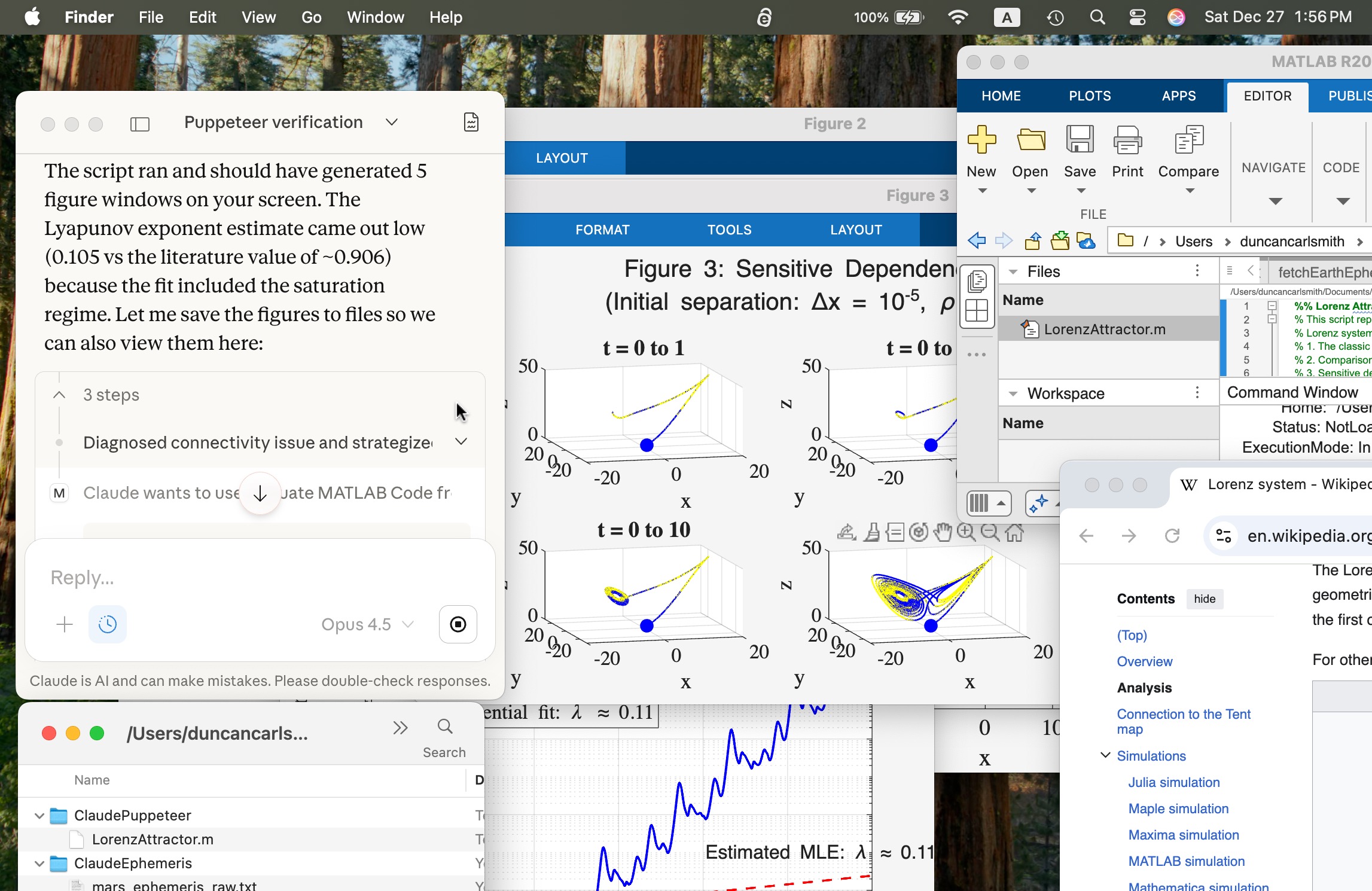
As a very first test, I selected Wikipedia from the Claude App suggestions. We navigated to a page Lorenz system in the Chrome for testing browser where Claude dismissed a prompt for donations to Wikipedia. ( I was like “What is Anthropic’s valuation and why didn’t you donate?” but said nothing.) and extracted content and summarized, many of the equations beautifully formated. I issued the following prompt: “Take a look at the differential equations there and at the example solutions and their parameter values. Then create a MATLAB script in my folder MATLAB/ClaudePuppeteer to reproduce the illustrations and run the script.” After clicking to approve various steps, presto.
The screen shot below shows 1) Claude App (upper left) after the process completed, 2) a MacOS Finder window showing the Lorentz Attractor.m in a folder ClaudePuppeteer that Claude had previously created for me to test Puppeteer functionality, 3) the Lorentz system wiki page in the Google Chrome for testing browser (lower right), 4) the LorentzAttractor script open in MATLAB (upper right), and 5) various figures created by the MATLAB Script.
Um, wow!

