Contenido principal

addImageSensor

R2026b

Add image sensor to optical system

Since R2026b

Description

Add-On Required: This feature requires the Optical Design and Simulation Library for Image Processing Toolbox add-on.

addImageSensor(opsys) adds an image sensor with default properties to the optical system opsys.

example

addImageSensor(opsys,Name=Value) adds an image sensor with properties specified by one or more name-value arguments. For example, Resolution=[1920 1080] specifies a sensor with a resolution of 1920-by-1080 pixels.

example

Examples

collapse all

Create an optical system containing a doublet lens, singlet lens, and an image sensor.

opsys = opticalSystem;
addRefractiveSurface(opsys,Radius=10,DistanceToNext=4,Material="N-BK7")
addRefractiveSurface(opsys,Radius=-10,DistanceToNext=2,Material="F2")
addRefractiveSurface(opsys,DistanceToNext=10)
addRefractiveSurface(opsys,Radius=10,DistanceToNext=4,Material="N-BK7")
addRefractiveSurface(opsys,Radius=-10)
addGap(opsys,2.75)
addImageSensor(opsys)

Display a 2-D visualization of traced rays through the optical system by using the view2d object function.

hv = view2d(opsys);
addRays(hv)
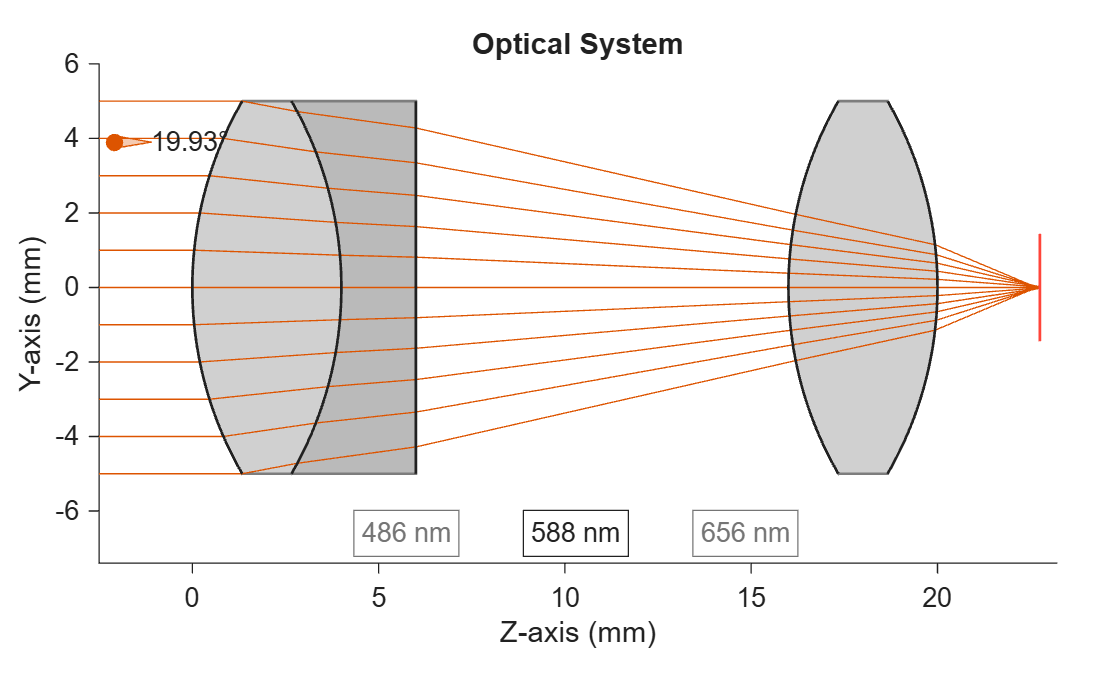
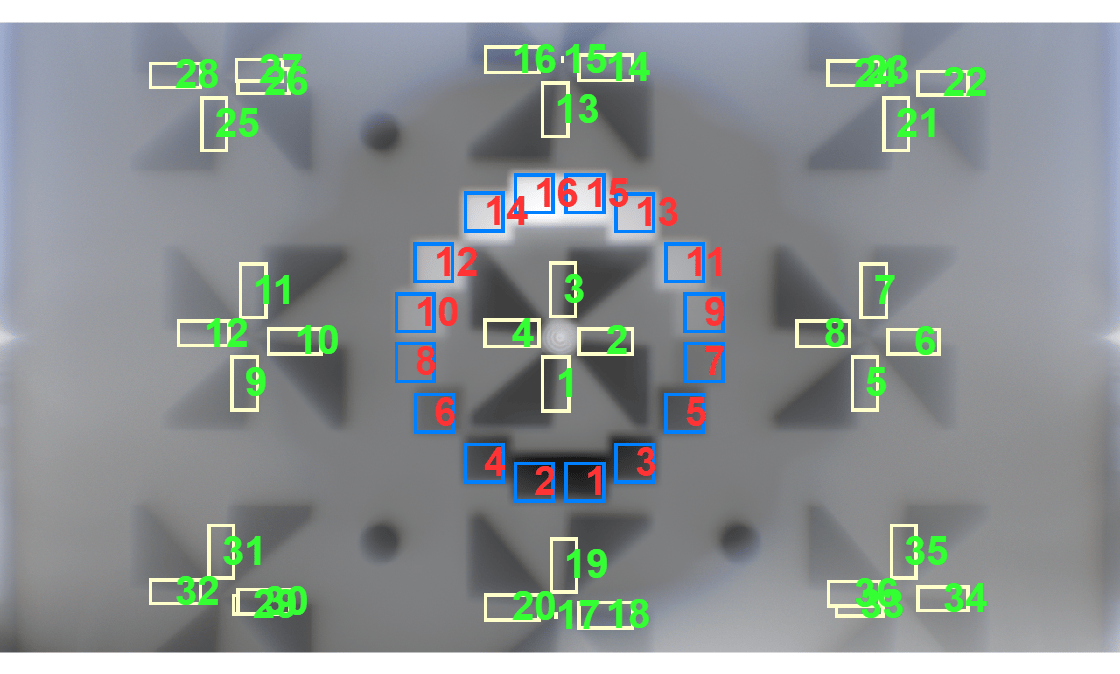
Render the eSFR2023 4:1 test chart through the optical system using the renderChart object function.

chart = renderChart(opsys,"eSFR2023-4:1",Focus=1);

Display the eSFR test chart with ROI annotations overlaid on the chart.

displayChart(chart)
Input Arguments

collapse all

Optical system, specified as an opticalSystem object.

Note

If the last component in the optical system is not an image plane, the function adds an image plane first, and then mounts the sensor on it. If an image plane already exists at the end of the optical system, the function resizes it to match the sensor size. If a sensor already exists, the function replaces it.

Name-Value Arguments

collapse all

Specify optional pairs of arguments as Name1=Value1,...,NameN=ValueN, where Name is the argument name and Value is the corresponding value. Name-value arguments must appear after other arguments, but the order of the pairs does not matter.

Example: addImageSensor(opsys,Resolution=[1920 1080]) specifies a sensor with a resolution of 1920-by-1080 pixels.

Sensor name, specified as a string scalar or character vector.

Data Types: char | string

Sensor resolution in pixels, specified as a 1-by-2 numeric vector. The vector is of the form [width height], where width and height are the number of pixel columns and rows of the image sensor, respectively.

Data Types: double

Individual pixel size, specified as a 1-by-2 numeric vector. The vector is of the form [width height], where width and height are the physical width and height of a single pixel of the image sensor, respectively. Units are in micrometers.

Data Types: double

Physical sensor size, specified as a 1-by-2 numeric vector. The vector is of the form [width height], where width and height are the physical width and height of the active area of the rectangular image sensor, respectively. Units are in millimeters.

Note

If you specify RectangleSize, you must specify either Resolution or PixelSize. The function computes the unspecified property from the other two. If RectangleSize and PixelSize result in a noninteger resolution, the function reduces RectangleSize to ensure the number of pixels is an integer.

Data Types: double

Version History

Introduced in R2026b