General
Public ChannelÚltimas contribuciones

Hello and a warm welcome to all! We're thrilled to have you visit our community. MATLAB Central is a place for learning, sharing, and connecting with others who share your passion for MATLAB and Simulink. To ensure you have the best experience, here are some tips to get you started:
- Read the Community Guidelines: Understanding our community standards is crucial. Please take a moment to familiarize yourself with them. Keep in mind that posts not adhering to these guidelines may be flagged by moderators or other community members.
- Ask Technical Questions at MATLAB Answers: If you have questions related to MathWorks products, head over to MATLAB Answers (new question form - Ask the community). It's the go-to spot for technical inquiries, with responses often provided within an hour, depending on the complexity of the question and volunteer availability. To increase your chances of a speedy reply, check out our tips on how to craft a good question (link to post on asking good questions).
- Choosing the Right Channel: We offer a variety of discussion channels tailored to different contexts. Select the one that best fits your post. If you're unsure, the General channel is always a safe bet. If you feel there's a need for a new channel, we encourage you to suggest it in the Ideas channel.
- Reporting Issues: If you encounter posts that violate our guidelines, please use the 🚩Flag/Report feature (found in the 3-dot menu) to bring them to our attention.
- Quality Control: We strive to maintain a high standard of discussion. Accounts that post spam or too much nonsense may be subject to moderation, which can include temporary suspensions or permanent bans.
- Share Your Ideas: Your feedback is invaluable. If you have suggestions on how we can improve the community or MathWorks products, the Ideas channel is the perfect place to voice your thoughts.
Enjoy yourself and have fun! We're committed to fostering a supportive and educational environment. Dive into discussions, share your expertise, and grow your knowledge. We're excited to see what you'll contribute to the community!

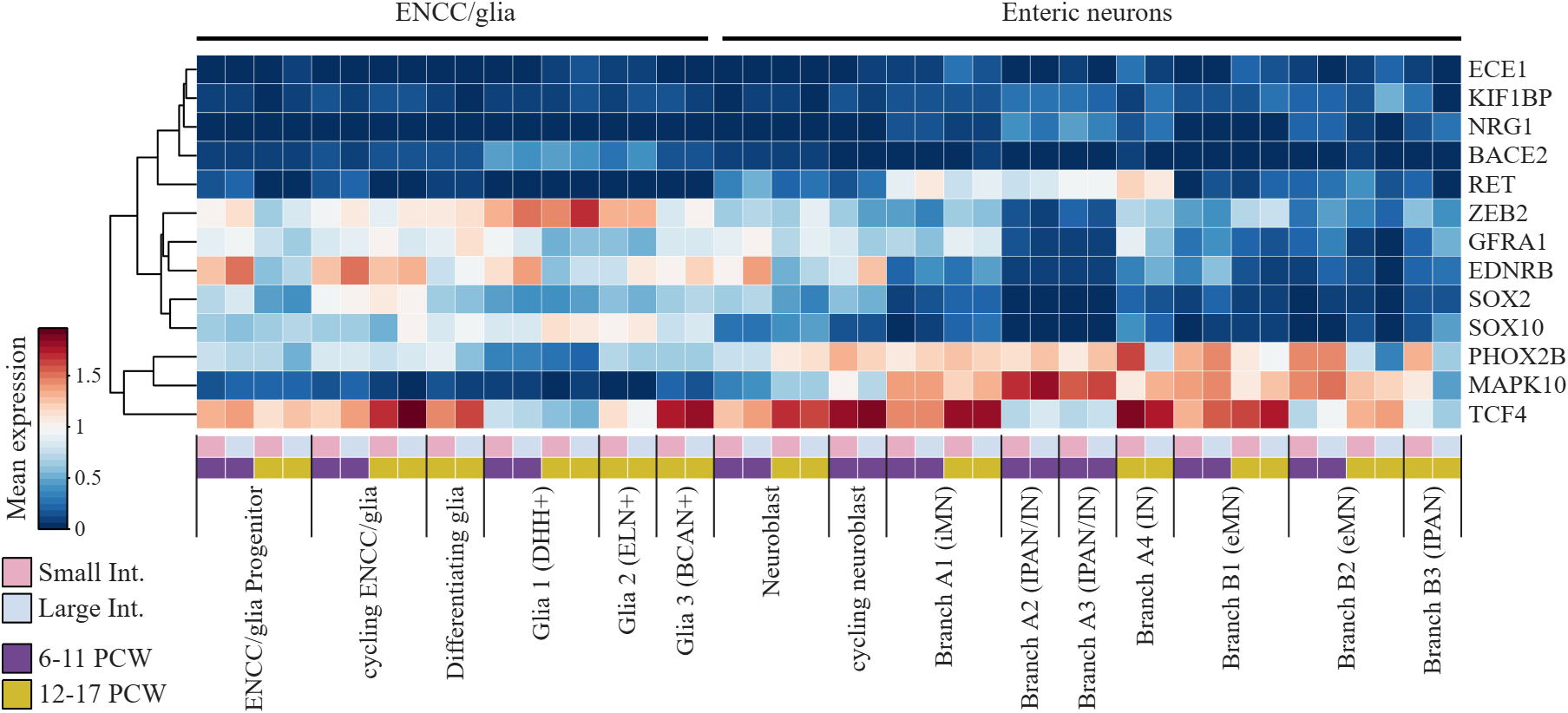
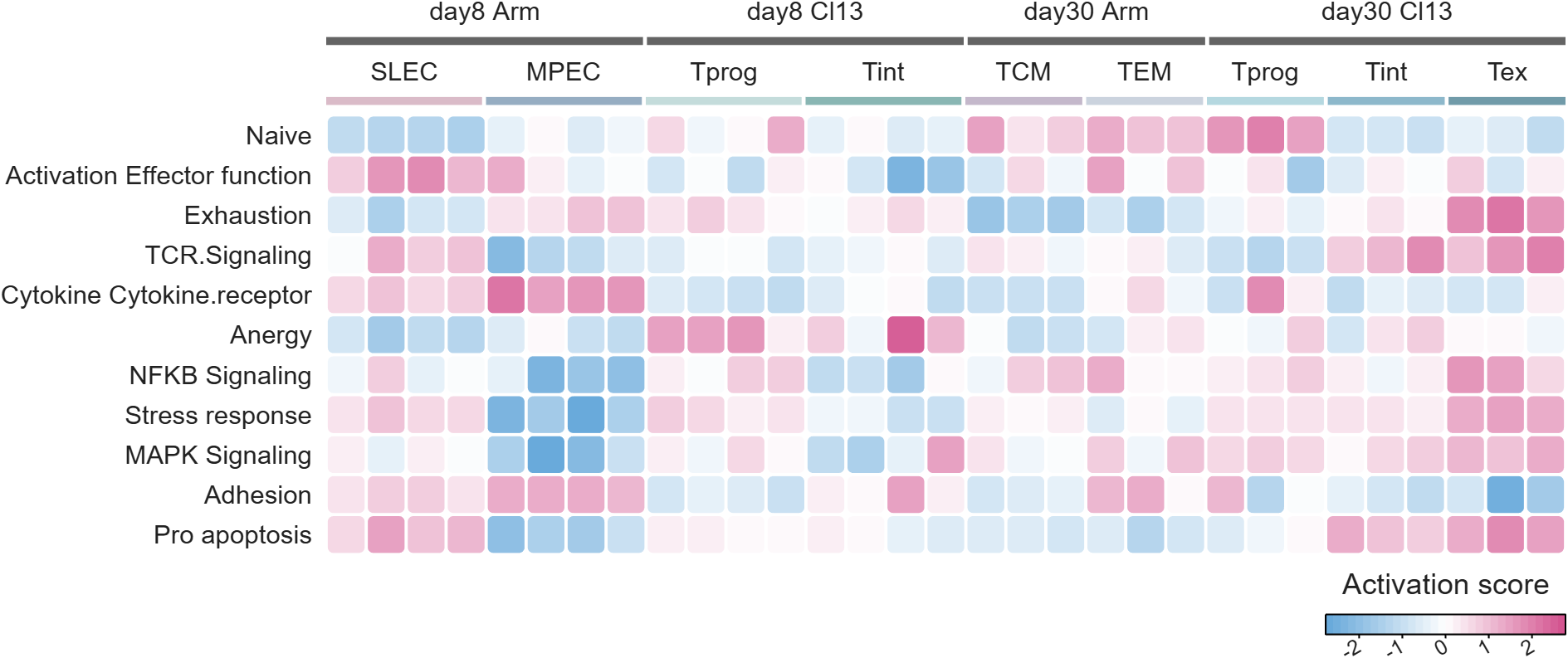
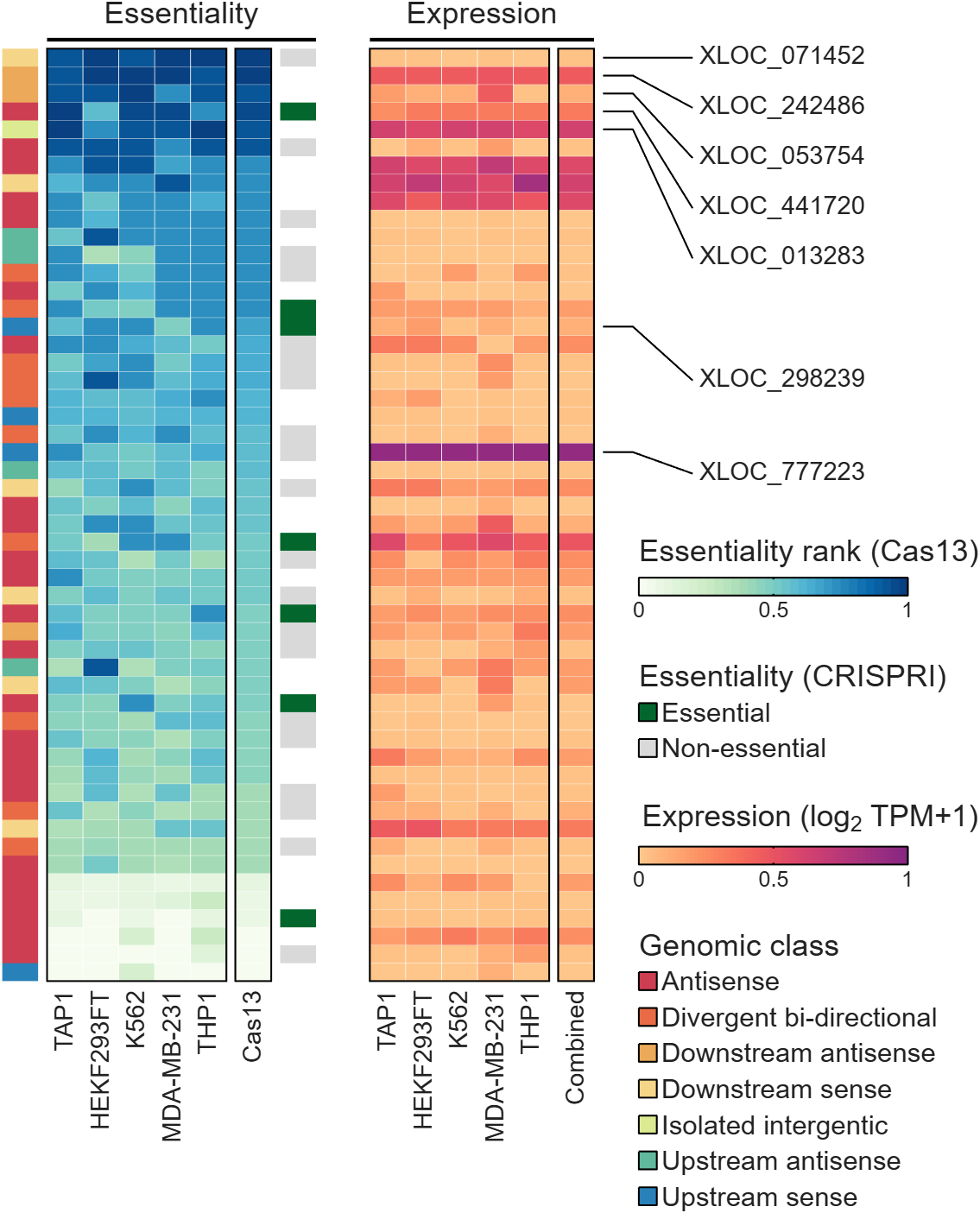
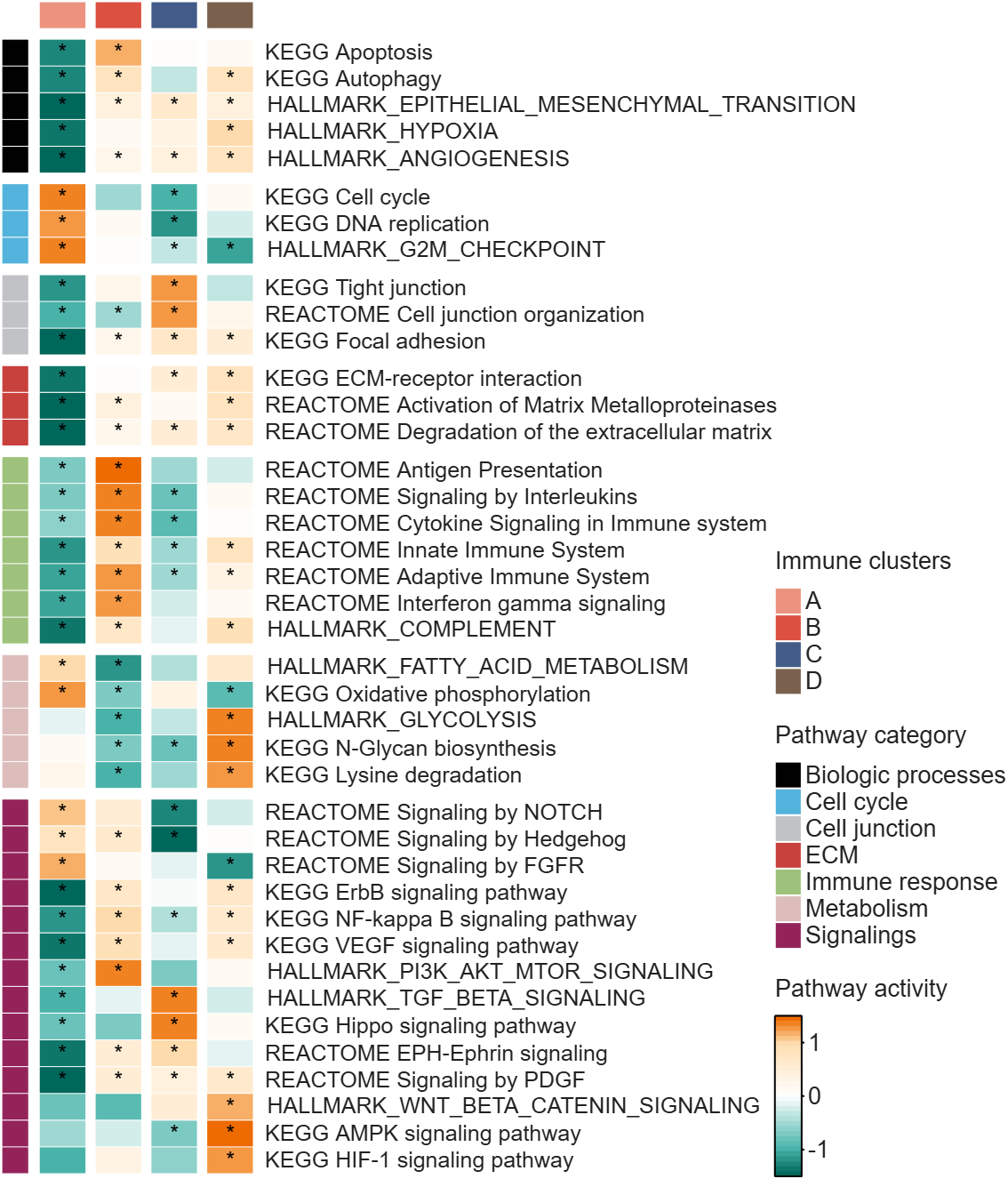
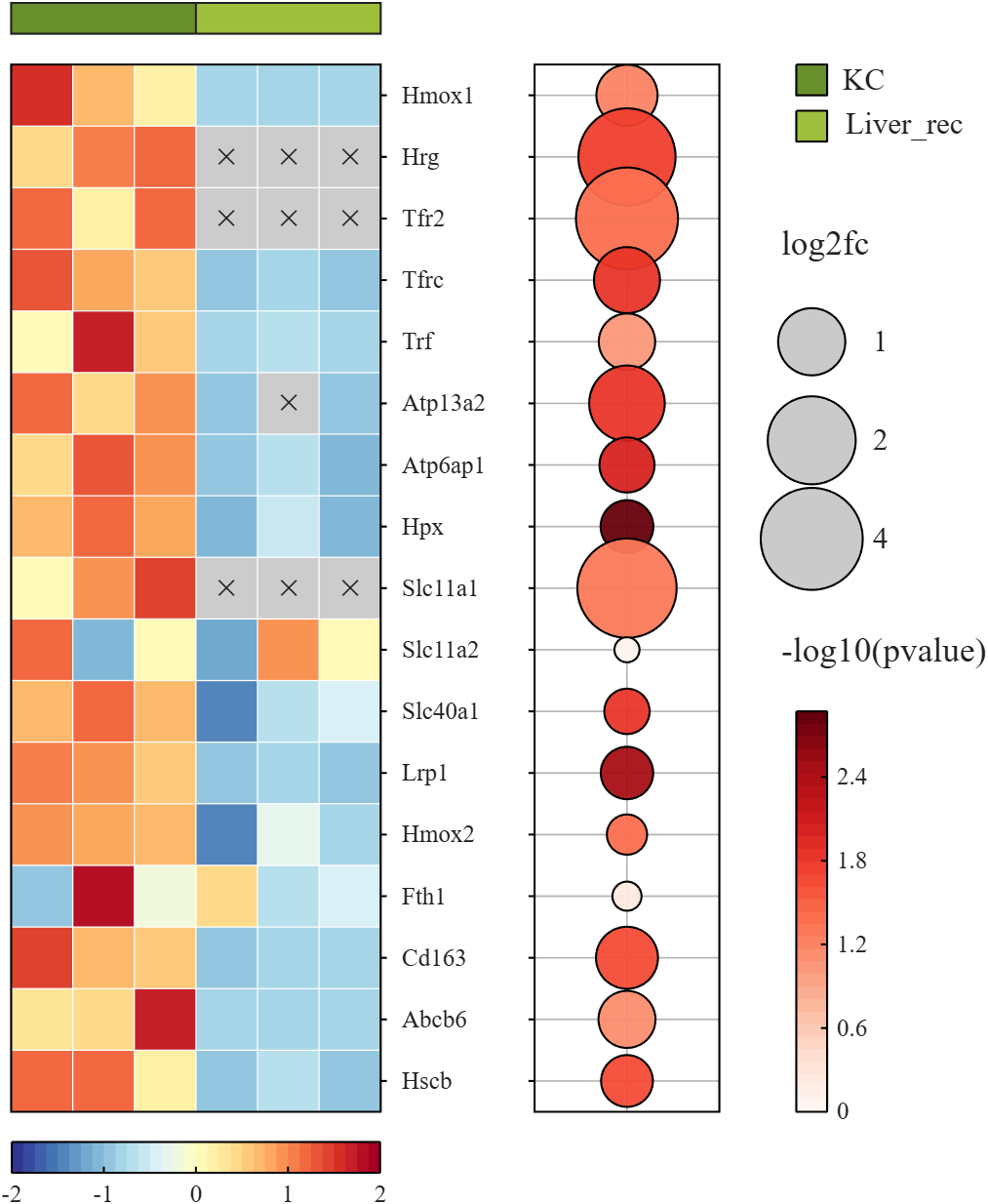
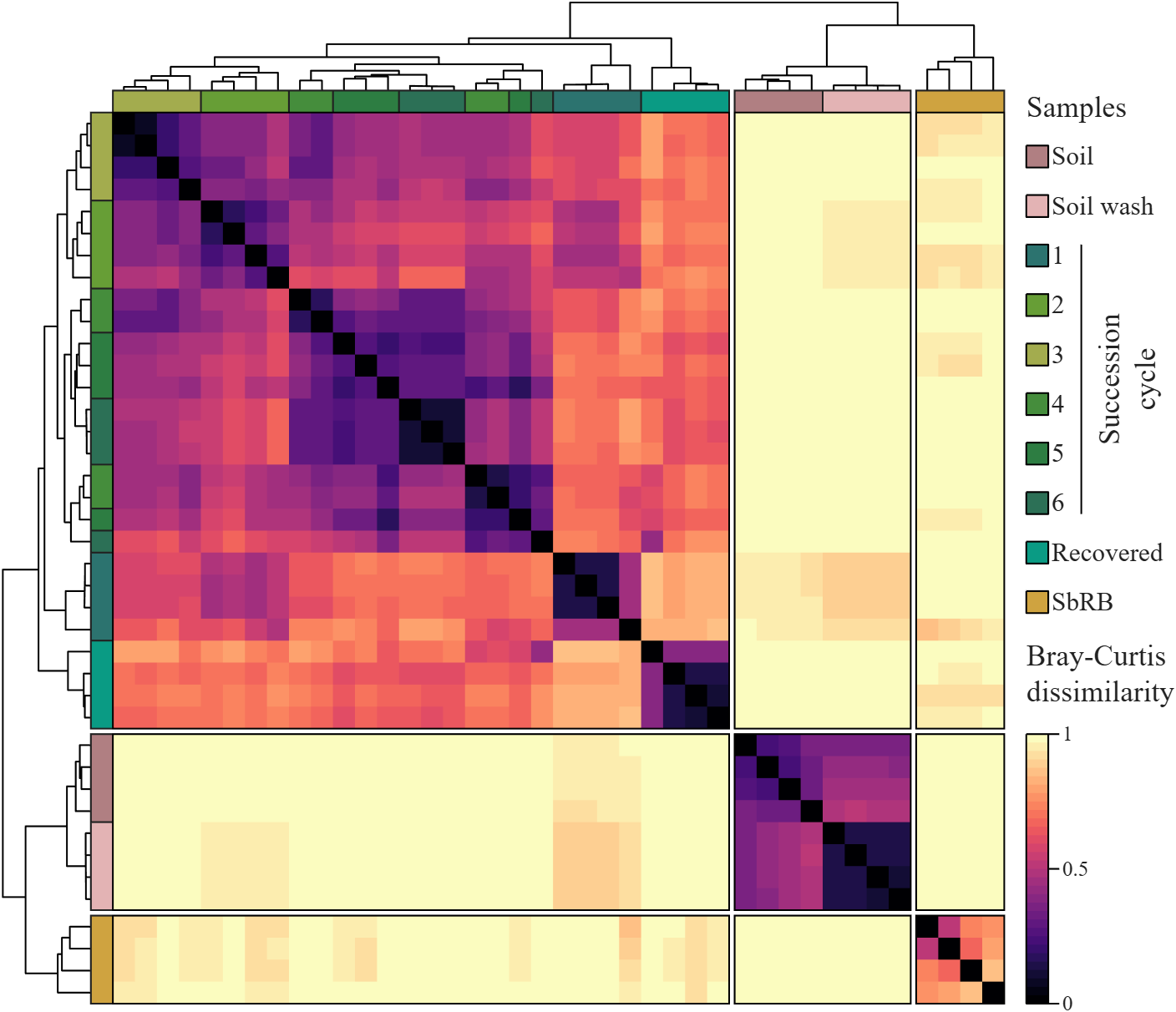
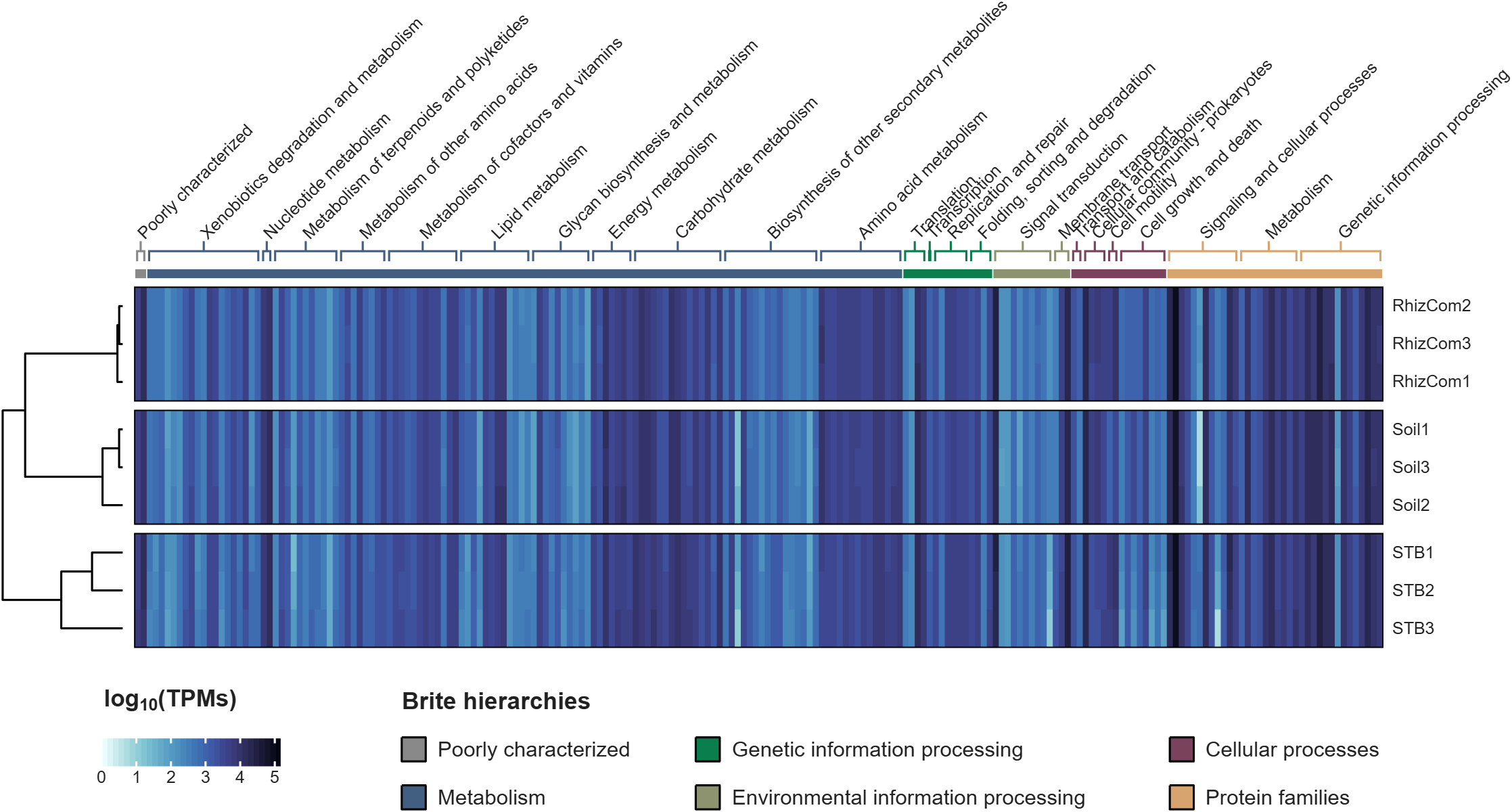
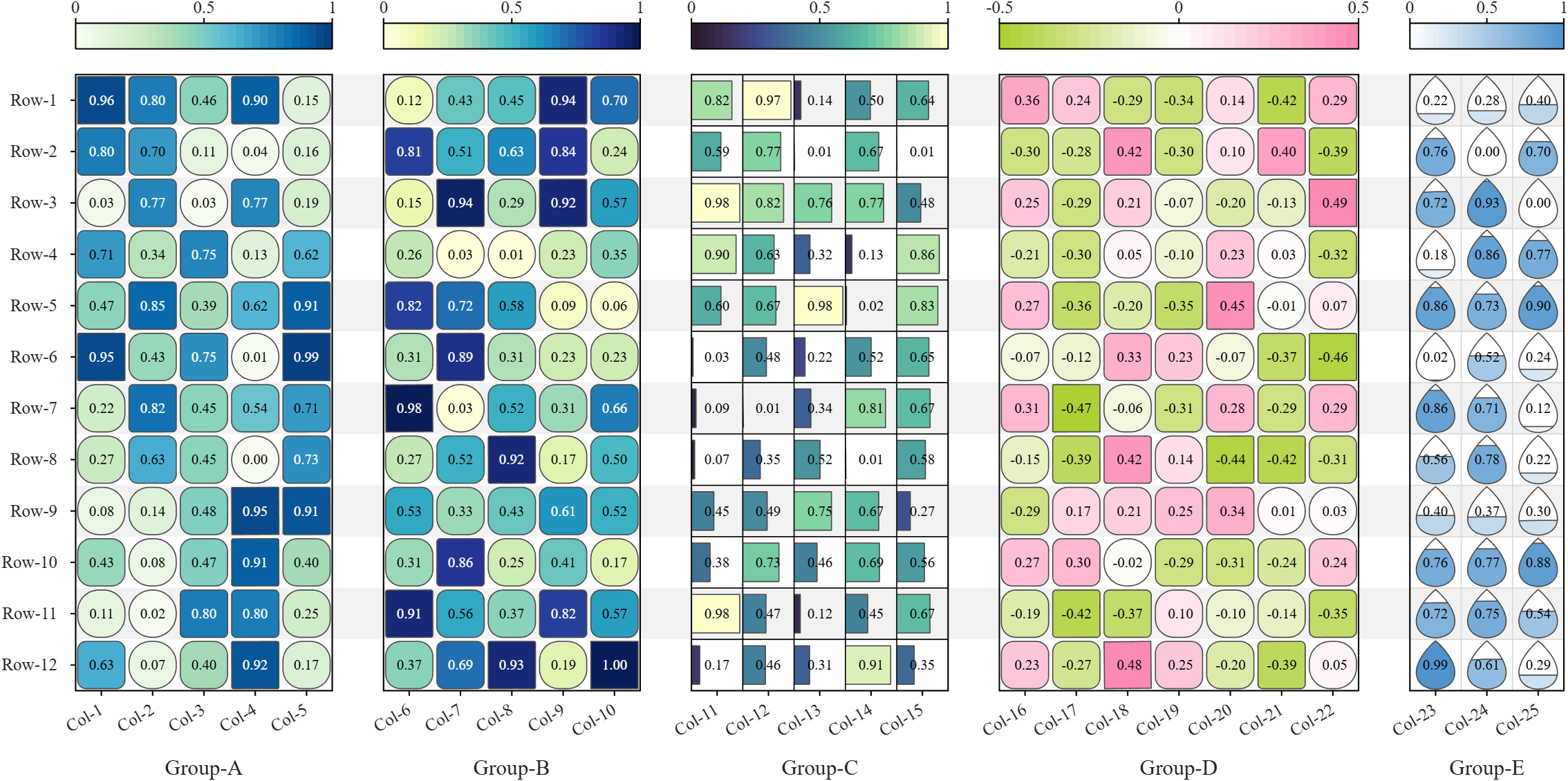
All these examples are plotted using SHeatmap. For details, please refer to the relevant examples in the demo_SColorbar folder included in the toolbox.

Hi everyone
Some of my colleauges at MathWorks are conducting a survey on how people use science and engineering file formats such as NetCDF, HDF5, Zarr and so on.
It will only take a few minutes to fill out and is completely anonymous unless you want to be contacted. Your thoughts, details of usage in your domain or industry, and current friction points will help us improve MATLAB to better support the kind of work you do in the future!
If there's anything not covered by the survey that you'd like to mention, feel free to reply to this thread.
Cheers,
Mike

TokaLab is an open-access virtual tokamak platform built in MATLAB for nuclear fusion modeling, diagnostics, inverse problems, and computational experimentation.
- App installer for MATLAB Online — run TokaLab directly in your browser.
- Two new tutorials covering the core modules, SimPla and SynDiag, in detail.
- Two new modules: TokaPlot for advanced plotting, and SynRad for radiation generation.
- Real tokamak geometries, supporting more realistic tokamak modeling.

You can use MATLAB's rat() function to obtain a rational approximation of a decimal value. For example, rat(0.625) gives a representation equivalent to 5/8. If you simply want to verify decimal/fraction conversions without running MATLAB, a browser-based decimal-to-fraction calculator can also be useful.

Very Favorable
21%
Favorable
22%
Neutral
20%
Unfavorable
17%
Very Unfavorable
20%
886 votos

We heard your feedback that it can be difficult to find the latest comment or reply in long threads. To make this easier, you can now jump directly to the latest activity by clicking the latest activity date link at the top of the leaf page. See the screenshot below for an example. This is similar to the experience of MATLAB Answers today.
Thanks again for sharing your feedback and helping us improve the experience.
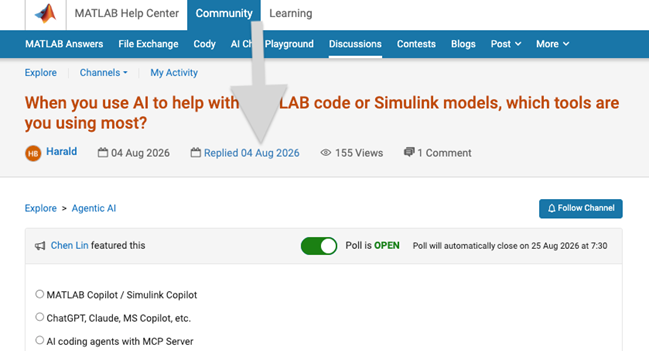

https://www.mathworks.com/matlabcentral/answers/2182045-why-can-t-i-renew-or-purchase-add-ons-for-m…
"As of January 1, 2026, Perpetual Student and Home offerings have been sunset and replaced with new Annual Subscription Student and Home offerings."
So, Perpetual licenses for Student and Home versions are no more. Also, the ability for Student and Home to license just MATLAB by itself has been removed.
The new offering for Students is $US119 per year with no possibility of renewing through a Software Maintenance Service type offering. That $US119 covers the Student Suite of MATLAB and Simulink and 11 other toolboxes. Before, the perpetual license was $US99... and was a perpetual license, so if (for example) you bought it in second year you could use it in third and fourth year for no additional cost. $US99 once, or $US99 + $US35*2 = $US169 (if you took SMS for 2 years) has now been replaced by $US119 * 3 = $US357 (assuming 3 years use.)
The new offering for Home is $US165 per year for the Suite (MATLAB + 12 common toolboxes.) This is a less expensive than the previous $US150 + $US49 per toolbox if you had a use for those toolboxes . Except the previous price was a perpetual license. It seems to me to be more likely that Home users would have a use for the license for extended periods, compared to the Student license (Student licenses were perpetual licenses but were only valid while you were enrolled in degree granting instituations.)
Unfortunately, I do not presently recall the (former) price for SMS for the Home license. It might be the case that by the time you added up SMS for base MATLAB and the 12 toolboxes, that you were pretty much approaching $US165 per year anyhow... if you needed those toolboxes and were willing to pay for SMS.
But any way you look at it, the price for the Student version has effectively gone way up. I think this is a bad move, that will discourage students from purchasing MATLAB in any given year, unless they need it for courses. No (well, not much) more students buying MATLAB with the intent to explore it, knowing that it would still be available to them when it came time for their courses.

💡About
First, I would like to thank everyone who has downloaded my eds-classification repository so far. This post is meant for those who are currently using the repository or may be interested in using the repository in their research.
To keep things short, I have released v2.0 of the eds-classification series on GitHub and the File Exchange. The update comes with significant changes to the repository structure and functions, and so it is worth noting that the update will likely be incompatible with any scripts written using prior releases.
The update provides several key new features that are meant to improve usability and producton. If you are interested in seeing how eds-classification may help you with your mineralogy research, please check out the release notes for v2 and consider giving the repository a try.
Respectfully,
Austin
📝Release Notes
The full release notes for v2 are available here: https://github.com/weber1158/eds-classification/releases/tag/v2.0
⬇️Download Now
AI writes all my code now
18%
Multiple times a day
24%
A few times a week
15%
A few times a month
7%
Only for suggestions
22%
It is not allowed for my work
14%
758 votos

I often see the need of argument validation for which the arguments depend on each other.
function result = myFcn(points, attributes, queryIdx)
% INPUT
% points: [Nx3]
% attributes: [Nx1]
% queryIdx: [Mx1]
%
% OUTPUT
% result: [Mx1]
end
points and attributes depend in size, queryIdx and result as well. The current arguments/end block does not allow to formulate such constraints. The best you can do currently is
function result = myFcn(points, attributes, queryIdx)
arguments(Input)
points (:,3)
attributes (:,1)
queryIdx (:,1)
end
arguments(Output)
result (:,1)
end
assert(height(points) == height(attributes), "Argument validation failed")
...
assert(height(queryIdx) == height(result), "Argument validation failed")
end
Reading just the header without additional comments is unclear for a developer and prone to misunderstanding.
What do you think of the following language extension proposal?
function result = myFcn(points, attributes, queryIdx)
arguments(Input)
points (N,3)
attributes (N,1)
queryIdx (M,1)
end
arguments(Output)
result (M,1)
end
end
The intention is clear for the reader at first sight and gives you guarantees about input/output parameters (in contrast to simple comments). Validating the parameter "points" sets the (temporary) variable N, which can be reused in further argument validations. To be discussed if N and M are valid just within the arguments block or also in the whole function.
What is your opinion on such a language improvement?
Absolutely!
65%
Probably
8%
Sometimes yes, sometimes no
8%
Unlikely
15%
Never!
4%
26 votos
<80 characters
14%
80 characters
25%
100 characters
22%
120 characters
16%
>120 characters
15%
something else (comment below)
9%
198 votos

What did you guys do? It's impossible to edit figures on the fly now. Even simple things like removing data series and then removing them from the legend have become impossible without meddling with code. It used to be you could do little touch ups and even copy series from one figure to the next in the most expeditious and simple way, that to me was a big plus of using Matlab over python. Now this is so backwards and unintuitive, what were you guys thinking?

I've left Matlab Answers in spring 2023. At this time the forum was full of interesting programming questions, e.g about optimizing code. A bunch of experienced Matlab users have discussed diefferent approachs and compared them. Some questions have concerned beginner problems and home work solutions, others belonged to professionally used tools for scientific work
Every week some new tools for dailiy use have been posted in the FileExchange.
Today, 3 years later, the traffic is much lower and questions concern the correct usage of Matlab commands usually. Submissions in the FileExchange are very specific and rarely useful for general programming jobs.
What has happend?

Hi everyone,
Simulations have a way of outgrowing the machine they run on (at least mine do). Bigger sweeps, longer regression suites, more data to pull in. At some point your workstation just isn't beefy enough!
I've just published a post on running larger MATLAB and Simulink simulations in the cloud (e.g. AWS): more compute when we need it, without changing how we work day to day.
The example is from automotive, but the same applies to aerospace, robotics, and beyond.
If you want to read more, here's the link: https://blogs.mathworks.com/engineering/2026/07/14/on-scaling-model-based-design-into-the-cloud/
How are others handling scaling for simulation? what's working for you?
Cheers,
George

MATLAB Editor (built-in editor)
74%
VS Code (Visual Studio Code)
18%
Jupyter Notebook / MATLAB Kernel
2%
PyCharm (via plugins or external )
2%
Sublime Text / Atom
1%
Others (please specify in commets)
2%
960 votos

Looking for an on-campus job next semester? We’re hiring MATLAB Student Ambassadors to host fun events, share MATLAB resources on social media, and connect with your student community.
Learn more here: https://www.mathworks.com/academia/students/student-ambassadors.html


How does everyone use MatLab right now? I can't think of any ideas what i can use this software for!
Hi everyone
It is my pleasure to be able to report on a project that several teams at MathWorks have been working on for some time now. A new object management system that promises to make object oriented code in MATLAB a lot faster.
The new system is available as a limited beta in the pre-release of MATLAB 2026b. It is not turned on by default. If you are developing OOP code, we'd love you to try it out. Most of the time, no code changes will be necessary but there are a small number of well-defined case where you will need to update your code.
The team are currently looking for MATLAB developers to work with who would like to try this out.
More details, including how to join the beta, are available in the following blog post https://blogs.mathworks.com/matlab/2026/07/14/objects-are-about-to-get-much-faster-in-matlab/
Best wishes,
Mike
Acerca de General
Discuss a wide range of MATLAB topics and share your thoughts and opinions with other community members.
This is the channel to post to if your topic doesn't fit any other channel contexts.
This is the channel to post to if your topic doesn't fit any other channel contexts.
 All technical questions
Community Guidelines MATLAB FAQs